
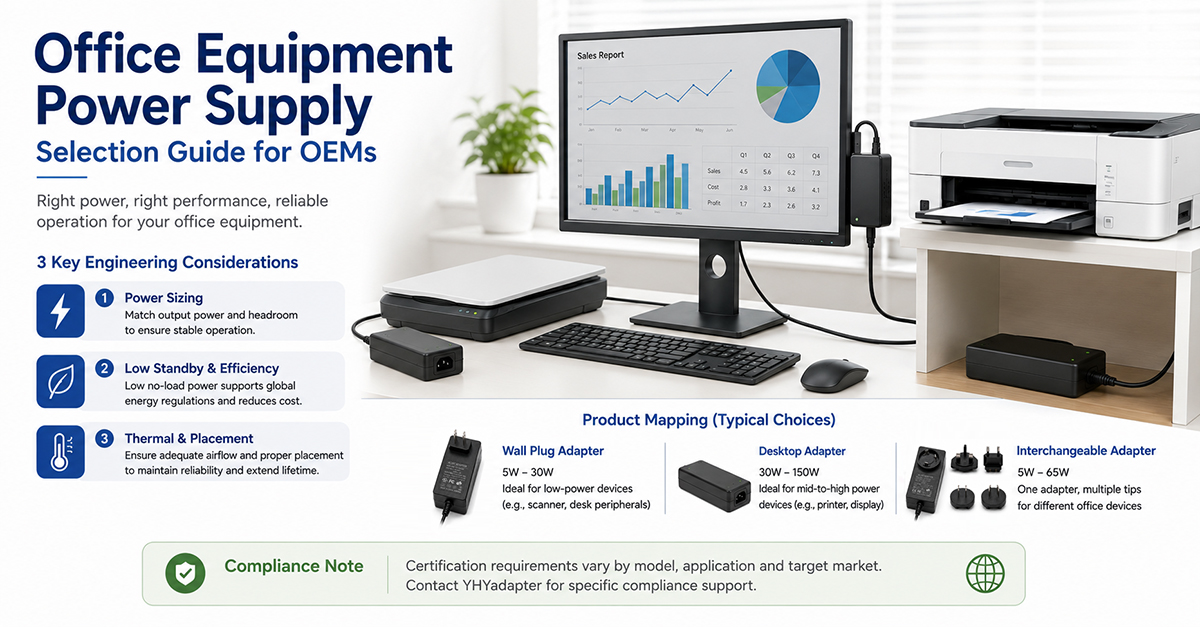
Office equipment—printers, scanners, monitors, projectors, and peripherals—operates in commercial environments where reliability, energy efficiency, and multi-market compatibility are critical requirements. Unlike consumer electronics, office equipment is expected to operate 8–10 hours per day, five days a week, for 5–10 years. The power supply must support this extended duty cycle while meeting energy-efficiency regulations that are often stricter for office equipment than for consumer products.
This guide covers the power supply considerations for office equipment OEMs: device-specific power requirements, multi-voltage and multi-plug configurations, energy-efficiency regulations (ENERGY STAR, ErP), form factor selection, and global certification considerations.
Power Requirements by Office Equipment Type
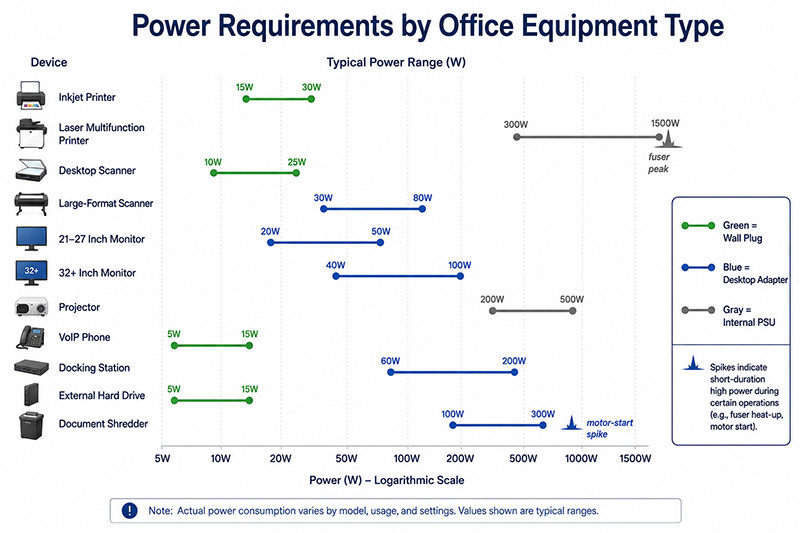
Office equipment spans a wide range of power requirements, from low-power peripherals to high-power printers and large-format displays.
| Device Type | Typical Power Range | Common Voltages | Typical Adapter Form Factor | Notes |
|---|---|---|---|---|
| Small printer (inkjet) | 15–30W (active), 2–5W (idle) | 12V, 24V, 32V | Desktop adapter | Some use internal PSU; external for compact models |
| Multifunction printer (laser) | 300–1500W (active, fuser), 10–50W (idle) | 24V, 48V + high-voltage fuser | Internal PSU typical | External adapter uncommon due to high power |
| Desktop scanner | 10–25W | 12V, 24V | Desktop adapter | Low power but may run for extended scanning sessions |
| Flatbed scanner (large format) | 30–80W | 24V, 48V | Desktop adapter | Higher power for drive motors and lamp/LED array |
| Monitor (21–27 inch) | 20–50W | 12V, 19V, 24V | Desktop (external) or internal | External adapters common for thinner monitors |
| Monitor (32+ inch) | 40–100W | 19V, 24V | Desktop adapter, higher current | Often use external “brick” adapter |
| Projector | 200–500W | 12V, 24V + lamp-specific | Internal PSU typical | High power; lamp driver requires specialized PSU |
| Desktop phone / VoIP | 5–15W | 5V, 12V, PoE | Wall plug or PoE | PoE common for enterprise VoIP phones |
| Docking station | 60–200W | 12V, 19V, 20V | Desktop adapter | Must power laptop + peripherals; USB-C PD emerging |
| External hard drive | 5–15W | 5V, 12V | Wall plug or USB bus-powered | Larger drives (3.5″) require external adapter |
| Document shredder | 100–300W (motor peak) | 12V, 24V | Desktop adapter or internal | High peak current for motor startup |
Multi-Device Office Power:
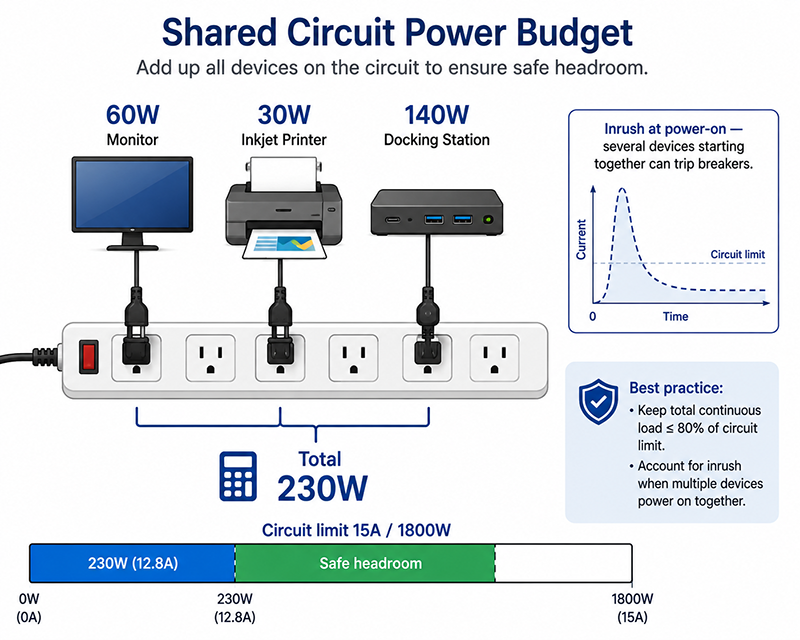
In many office installations, multiple devices share a single power outlet through a power strip. The total load on the office circuit must be considered, particularly for high-power devices like laser printers and large monitors that may share a circuit with other office equipment.
Why This Matters
- Laser printers with fusers draw high power (300–1500W) during printing but much less during idle. The adapter (or internal PSU) must be rated for the peak fuser power, not just the average power.
- Large monitors (>27 inch) increasingly use external desktop adapters to maintain thin panel profiles. The adapter must be rated for continuous 8–10 hour daily operation.
- Docking stations must power a laptop, monitor, and peripherals simultaneously. The adapter capacity must account for the combined power of all connected devices.
What OEMs Should Do Now
- Calculate the device’s peak power requirement (including startup transients, fuser cycles, motor starts) and select an adapter rated for at least 120% of this value.
- For devices with multiple operating modes (active, idle, sleep), verify the adapter’s efficiency at each operating point, not just full load.
- If the device is intended for shared circuit installations (office power strips), consider the inrush current at power-on to avoid tripping circuit breakers.
Energy-Efficiency Regulations for Office Equipment
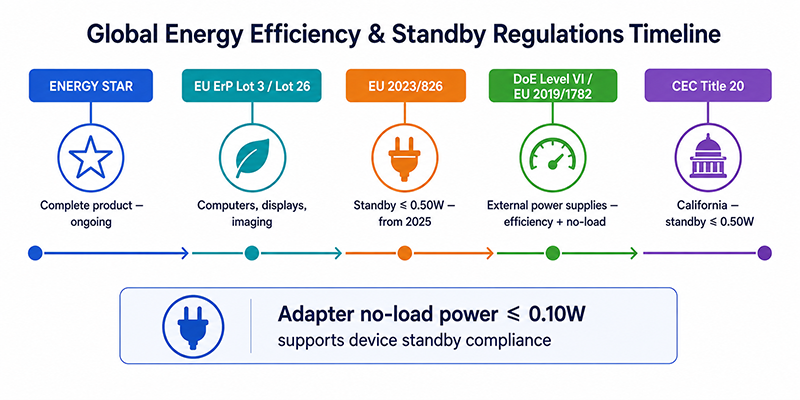
Office equipment is subject to energy-efficiency regulations that are often more comprehensive than those for consumer electronics. The most significant is ENERGY STAR for office equipment.
| Regulation | Scope | Key Requirements | Effective |
|---|---|---|---|
| ENERGY STAR (Computers, Displays, Imaging Equipment) | Complete product (not just adapter) | Maximum power in on, sleep, and off modes; power management requirements | Ongoing (version-specific) |
| EU ErP Directive (Lot 3, Lot 26) | Computers, displays, imaging equipment | Standby and off-mode limits; power management | Ongoing |
| EU 2023/826 (Ecodesign standby) | All household and office equipment | ≤0.50W off/standby from 2025 | 2025–2027 |
| DoE Level VI / EU 2019/1782 | External power supplies | Minimum efficiency and no-load power | Current |
| CEC Title 20 | External power supplies (California) | Standby ≤0.50W | Current |
ENERGY STAR for Imaging Equipment (Printers, Scanners, MFDs):
ENERGY STAR specifications for imaging equipment set maximum power limits for:
- Operational mode (TEC): Typical Electricity Consumption, measured in kWh per week based on standard usage patterns
- Sleep mode: Maximum power consumption in low-power state after a defined idle period
- Off mode: Maximum power when device is powered off but still connected to AC
The specific limits depend on the device’s speed, color capability, and features. ENERGY STAR certification demonstrates compliance with these limits through testing at an accredited lab.
ENERGY STAR for Displays (Monitors):
Monitor specifications set maximum power limits at specific luminance levels and require automatic brightness control in some categories. The limits are based on the display’s visible screen area and resolution.
External Power Supply Efficiency:
The adapter itself must meet DoE Level VI (US) or EU 2019/1782 (EU) minimum efficiency requirements. Available by model.
Why This Matters
- ENERGY STAR certification is often required for office equipment sold through commercial channels and government procurement programs.
- The adapter’s no-load power contributes to the device’s off-mode power. Meeting the 0.50W off-mode limit (EU 2023/826) requires a low-no-load adapter.
- For monitors with external adapters, the adapter’s efficiency affects the monitor’s total power consumption, which determines its ENERGY STAR compliance.
What OEMs Should Do Now
- Identify the ENERGY STAR or ErP requirements applicable to your device category and target markets. Design for compliance from the specification stage.
- Select adapters with low no-load power (≤0.10W) and high average efficiency to support the device’s energy compliance.
- Measure total device power (adapter + product) in all operating modes during development to verify compliance with applicable limits.
Multi-Voltage and Global Compatibility
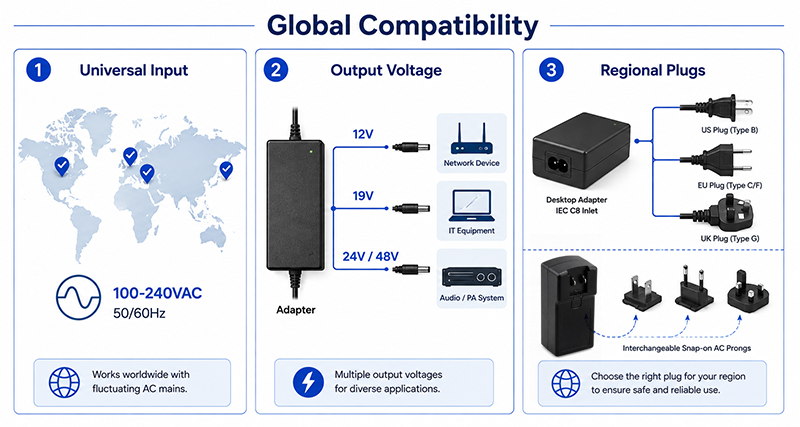
Office equipment is often designed for global markets, requiring the power adapter to support multiple input voltages and, in some cases, multiple output voltages.
Adapter Input:
Universal input (100–240VAC, 50/60Hz) is standard for office equipment adapters. This covers all major markets: US/Japan (100–120V), EU/Asia (220–240V), and other regions.
Adapter Output — Single Voltage:
Most office equipment uses a single output voltage from the adapter, with onboard regulation generating any additional internal voltages. Common output voltages: 12V, 19V (common for monitors), 24V, 48V.
Adapter Output — Multiple Voltage:
Some office equipment requires multiple output voltages from the adapter, though this is less common than using a single-voltage adapter with onboard regulation. Multi-output configurations may be available depending on total power, rail requirements, platform architecture, engineering scope, MOQ, and certification requirements.
Plug Types and Regional Cordsets:
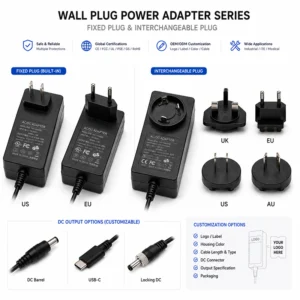
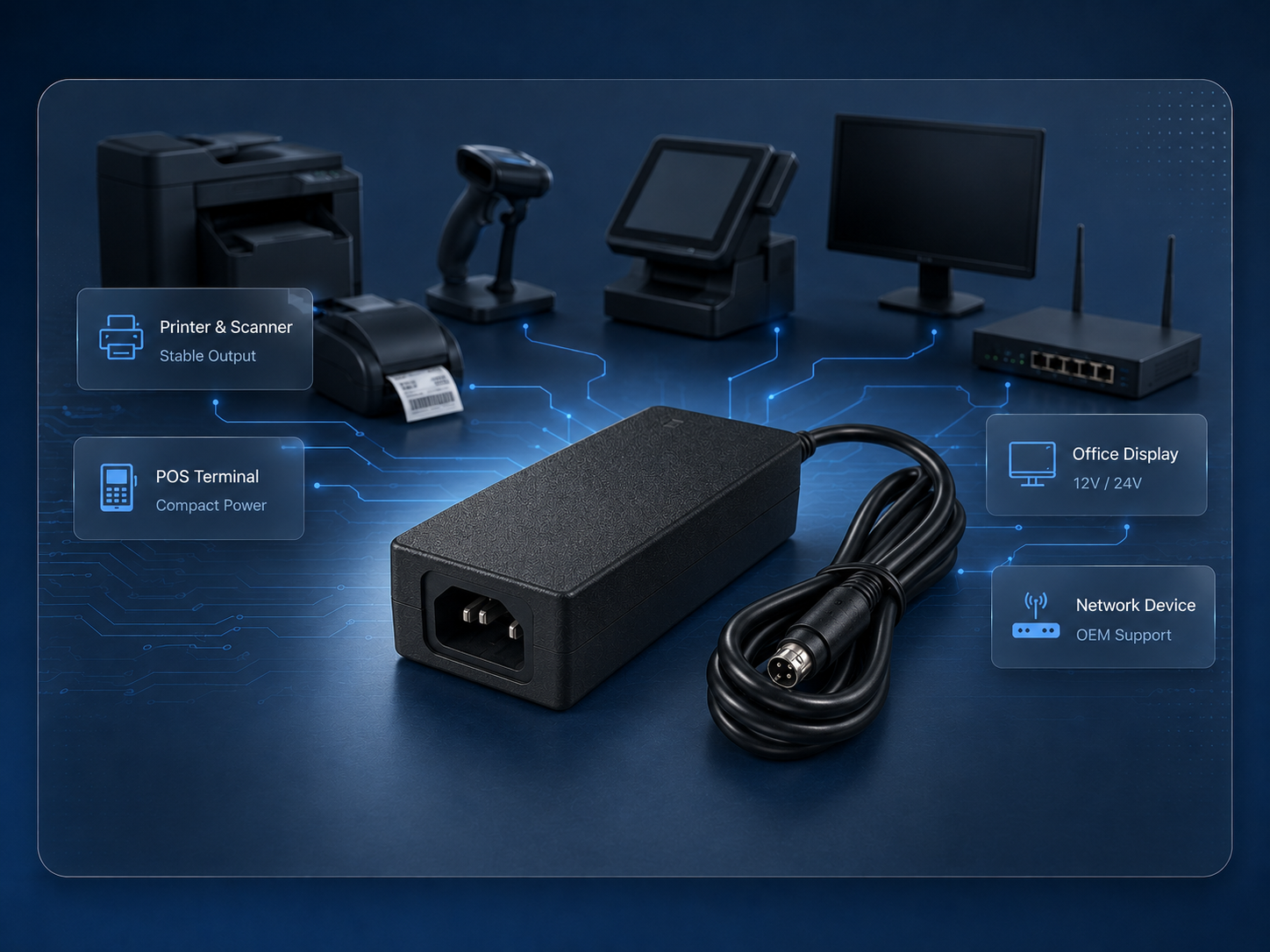
For desktop adapters, interchangeable AC cordsets for different regions (US, EU, UK, AU, etc.) simplify inventory management. The adapter has an IEC 60320 C6 or C8 inlet, and regional cordsets are packed with the device.
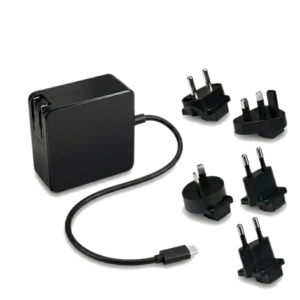
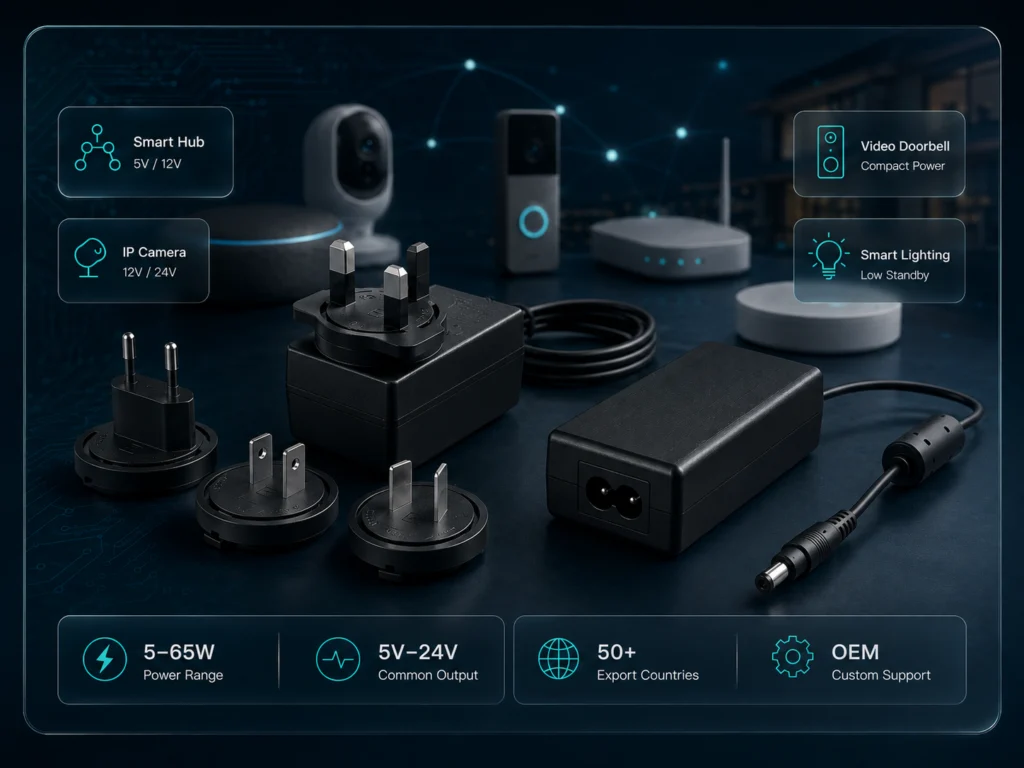
For wall plug adapters with interchangeable prongs, the adapter body accepts snap-on prongs for different regions. Verify that the adapter is certified for use in each region with the applicable prong configuration.
Why This Matters
- A universal input adapter simplifies global inventory: one adapter model serves all markets with the appropriate cordset or prongs.
- Interchangeable AC cordsets for desktop adapters reduce SKU count compared to fixed-prong wall adapters for each region.
- Some regions have different AC outlet wiring polarity or grounding requirements. Verify the adapter’s certification covers all target markets.
What OEMs Should Do Now
- Specify universal input (100–240VAC) adapters for products intended for multiple markets.
- For desktop adapters, use an IEC 60320 inlet and regional cordsets. This is the most flexible approach for global products.
- For wall plug adapters, use interchangeable prongs rather than fixed prongs if the product will be sold in multiple regions.
Form Factor and Mounting Considerations
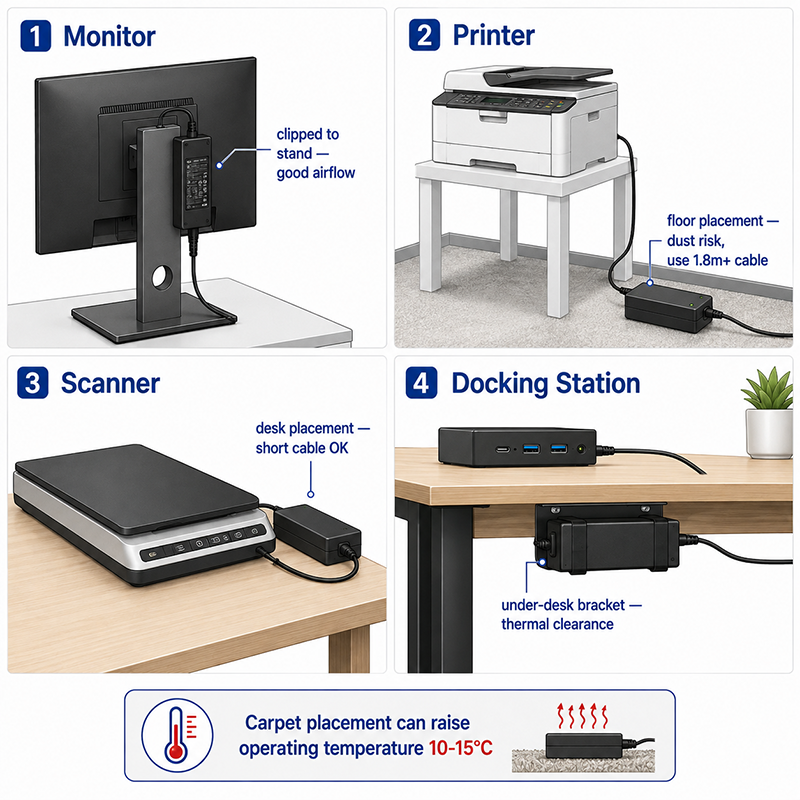
Office equipment form factors influence adapter selection. Desktop equipment (monitors, printers) typically use desktop adapters that sit on the floor or are mounted to the equipment frame.
| Equipment | Typical Adapter Location | Mounting | Considerations |
|---|---|---|---|
| Monitor | Behind monitor, on desk, or floor | Adapter sits on desk or is clipped to monitor stand | Cable management; thermal clearance from desk surface |
| Printer | Floor or shelf near printer | Adapter sits on floor or is attached to printer frame | Floor dust; mechanical damage risk |
| Scanner | Desk or shelf | Adapter sits on desk | Cable length to reach scanner |
| Docking station | Desk, under monitor | Adapter sits on desk or is integrated into dock | Heat dissipation; multiple cables |
Cable Management:
Office users prefer minimal visible cabling. Adapter placement and cable routing should be considered:
- Desktop adapters can be hidden behind furniture or under desks
- Adapter DC cable length should be sufficient for the expected installation configuration
- Some adapters are designed with right-angle DC connectors for low-profile mounting
Why This Matters
- A desktop adapter placed on a carpeted floor under a desk may have restricted airflow, increasing operating temperature by 10–15°C compared to open-air placement.
- Office equipment adapters are subject to mechanical stress from cleaning, furniture movement, and user cable management.
- Adapter cable length should match the expected installation distance. A 1.2m cable may be insufficient for a printer placed on a stand with the adapter on the floor.
What OEMs Should Do Now
- Consider the adapter’s installation environment when specifying the operating temperature range. Office equipment adapters should be rated for at least 40°C ambient.
- Specify an adapter cable length appropriate for the typical installation. Longer cables (1.8–3m) are preferred for floor-mounted adapters.
- If the adapter is mounted to the equipment, specify a secure mounting method (screw-mount bracket, V-lock, or similar) rather than adhesive.
Q: Can I use a laptop-style power adapter (19V) for a desktop monitor?
A: Many monitors use 19V adapters, similar to laptop adapters. However, the connector type and polarity must match. Verify the monitor’s input voltage, connector size, and polarity before substituting. The current rating must be equal to or greater than the monitor’s requirement.
Q: What is the most common power adapter voltage for office printers?
A: 12V and 24V are the most common voltages for inkjet and small laser printers. Higher-power multifunction printers (300W+) typically use internal power supplies rather than external adapters.
Q: How does ENERGY STAR affect external power adapter selection?
A: ENERGY STAR for imaging equipment and displays sets limits on the complete device power consumption, not just the adapter. However, the adapter’s efficiency directly affects the device’s total power. An efficient adapter (DoE Level VI) helps the device meet ENERGY STAR limits. The adapter’s no-load power is particularly important for meeting off-mode and sleep-mode limits.
CONCLUSION
Office equipment power supply selection requires attention to device-specific power requirements, energy-efficiency regulations (ENERGY STAR, ErP), global voltage compatibility, and form factor considerations. The key selection criteria are: matching the adapter’s power rating to the device’s peak and continuous power requirements, selecting an adapter with low no-load power to support regulatory compliance, using universal input and interchangeable cordsets for global products, and considering the adapter’s installation environment for thermal and mechanical reliability.
Related Resources
🔌 Related Products
📖 Related Guides
Office Peripherals Power Solutions
Power for printers, scanners, monitors and peripherals
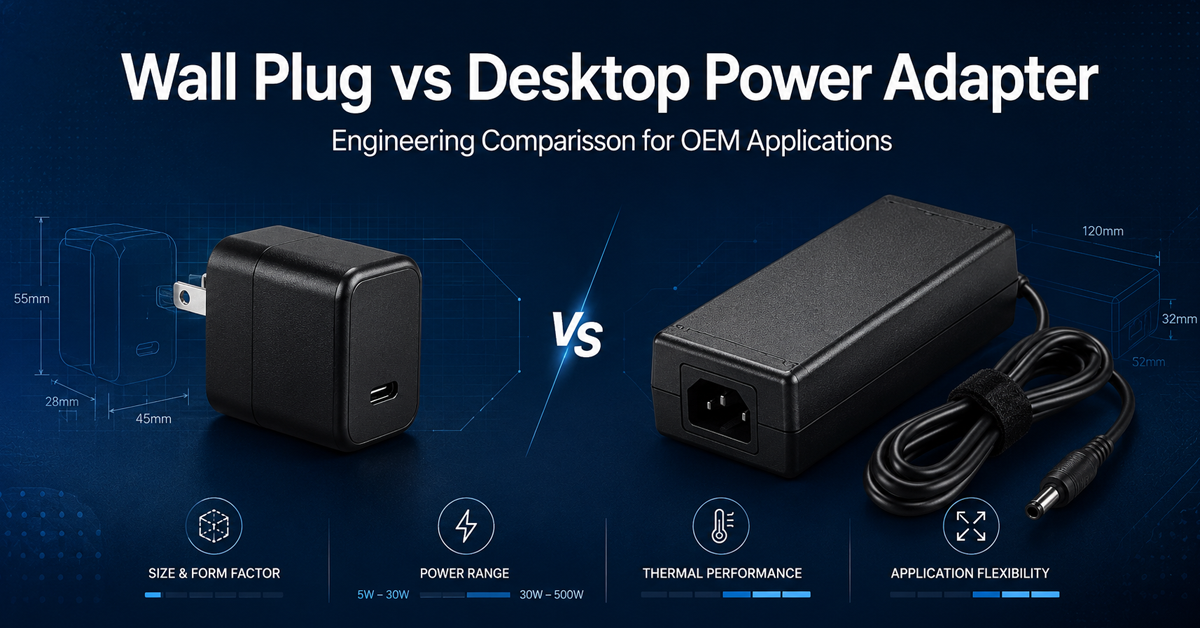
Wall Plug vs Desktop Power Adapter
Engineering comparison of wall plug vs desktop form factors
🏭 Related Applications
✅ Related Certifications
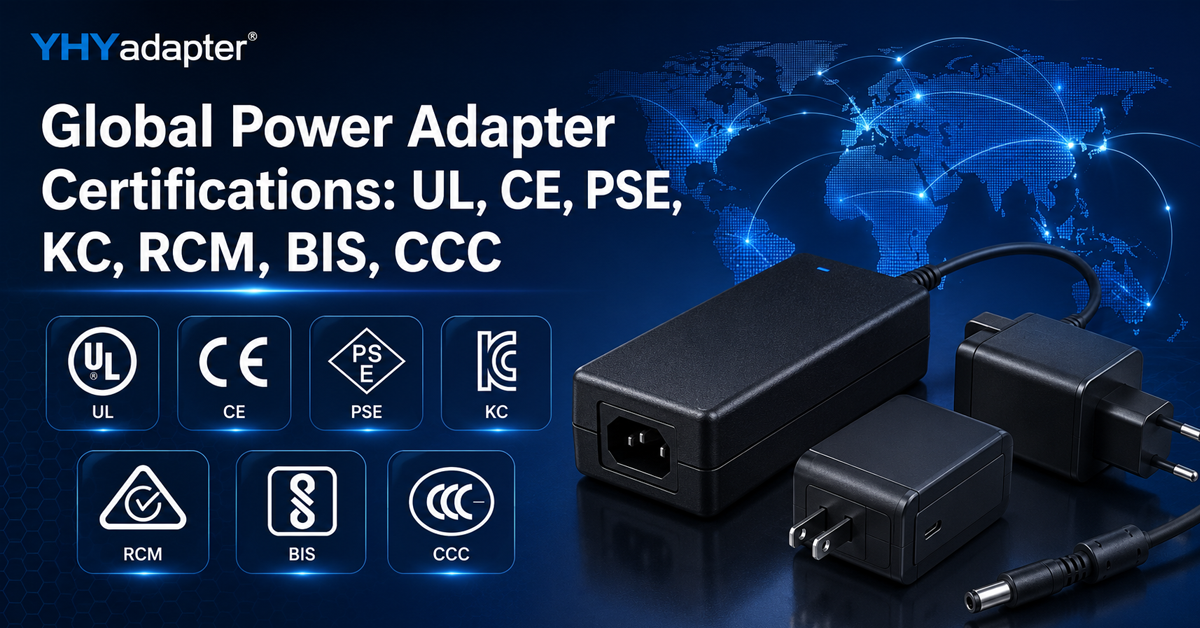
UL 62368-1 Safety Certification
Safety standard covering connector creepage/clearance, temperature rise, and strain relief requirements for IT/AV equipment power adapters.