
When specifying an AC/DC power supply for an OEM product, the electrical specifications—voltage, current, power, efficiency—are usually the first variables engineers consider. But the physical form factor is equally consequential. It determines how the supply integrates into the end product, how it dissipates heat, how it is mounted, and how it survives the operating environment.
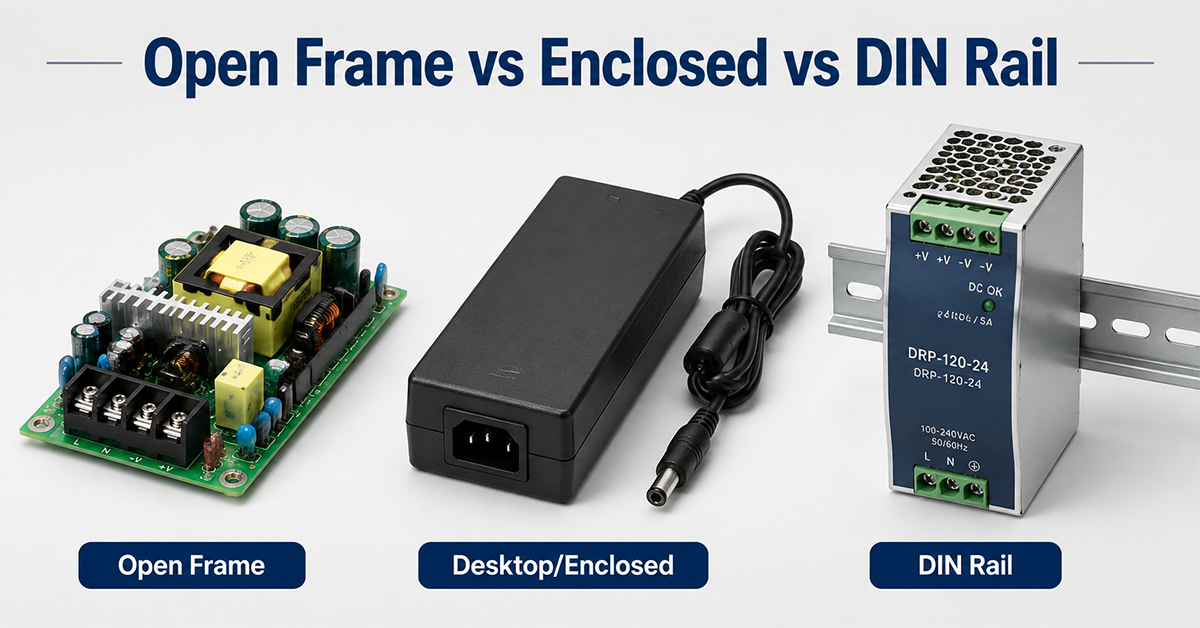
Three dominant form factors serve the majority of industrial and commercial applications: open frame, enclosed (desktop/wall-mount), and DIN rail. Each has distinct trade-offs in thermal performance, protection rating, installation cost, and serviceability.
Choosing incorrectly leads to preventable problems: an open frame supply in a dusty environment fails from contamination; a DIN rail supply used for a portable product adds unnecessary cost and weight; an enclosed desktop supply mounted inside a sealed panel overheats because it was designed for free-air convection.
This guide compares the three form factors across eight dimensions—thermal, environmental, mechanical, electrical, installation, certification, cost, and lifecycle—and provides a structured decision framework for selecting the right one for your application.
🛠️ Engineering Tip: Before comparing form factors, define your application’s operating environment first. An open frame supply that works perfectly in a clean, ventilated lab may fail within weeks in the same equipment deployed to a factory floor. The environment often dictates the form factor, not the other way around.
Section 1: Open Frame Power Supplies
What Is an Open Frame Power Supply?
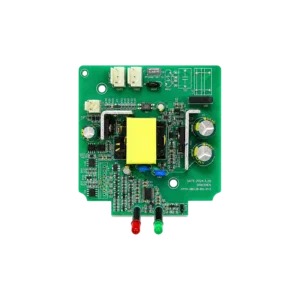
An open frame power supply consists of a PCB-mounted power circuit with no external enclosure. The PCB is typically mounted inside the end product’s own chassis or enclosure. Cooling relies on either natural convection (passive) or system-level airflow.
Typical power range: 15–600 W
Common dimensions: 3″×5″×1″ to 6″×8″×1.5″
Typical applications: Medical devices, LED lighting, industrial equipment, telecommunications, embedded systems
Advantages
| Benefit | Explanation |
|---|---|
| Lowest cost per watt | No enclosure, no external case, no AC inlet or external connector hardware. 10–30% cheaper than equivalent enclosed units. |
| Smallest footprint | No enclosure means minimal space consumption inside the end equipment. Critical for space-constrained designs. |
| Best thermal integration | Direct air contact with system airflow. Heat transfers efficiently to the product’s overall cooling solution. |
| Configurable I/O | Custom output connectors, wire lengths, and termination types directly on the PCB. No adapter cable needed. |
| Best for high-volume OEM | Designed for integration into the end product’s assembly line. Solder/connector integration into the system PCB is straightforward. |
Disadvantages
| Drawback | Explanation |
|---|---|
| Requires host enclosure | The end product must provide its own enclosure, AC input filtering, and connector mounting. Not suitable as a standalone solution. |
| No external protection | No IP rating. Susceptible to dust, moisture, and physical contact. Must be located inside a protective housing. |
| Thermally dependent on system | Performance relies entirely on the end product’s cooling. A poorly ventilated enclosure can derate the supply or cause thermal shutdown. |
| Creepage/clearance constraints | PCB-level isolation distances must be maintained in assembly. Foreign object ingress (screws, tools, debris) is a real risk. |
| EMI depends on system integration | Conducted and radiated EMI performance depends on the end product’s grounding, shielding, and input filtering — not just the supply itself. |
When to Choose Open Frame
Open frame power supplies are the right choice when:
- The power supply is integrated inside a product with its own enclosure and airflow
- Cost per watt is the primary selection driver
- The product is manufactured at sufficient volume to justify integration design effort
- Thermal management is designed at the system level, not delegated to the power supply
🛠️ Engineering Tip: When using an open frame supply, work with your power supply vendor early on the mechanical integration. The mounting hole pattern, connector placement, and component height profile must match your PCB and enclosure design. YHYadapter provides 3D CAD models and mechanical drawings for all standard open frame platforms.
Section 2: Enclosed (Desktop/Wall-Mount) Power Supplies
What Is an Enclosed Power Supply?
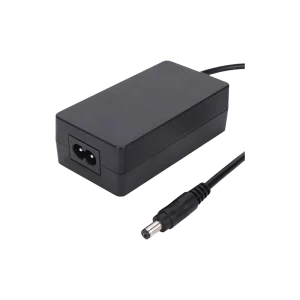
An enclosed power supply is a self-contained unit with its own external housing, AC input connector (IEC inlet or fixed cord), and DC output cable or connector. It is designed for plug-and-play use outside the end product’s enclosure, typically sitting on a desktop, mounted to a wall, or attached to equipment via a bracket.
Typical power range: 6–320 W (desktop), 5–60 W (wall-mount)
Common form factors: Desktop brick, wall plug, desk-mount adapter
Typical applications: Consumer electronics, medical peripherals, test equipment, POS systems, networking gear
Advantages
| Benefit | Explanation |
|---|---|
| Plug-and-play | No integration engineering required. Standardized output connectors (barrel, USB-C, etc.) and AC input (IEC C14/C8) make them drop-in ready. |
| Safety certification pre-approved | The entire adapter carries the certification mark (UL, CE, FCC, etc.). The end product inherits the safety compliance without additional testing for the power section. |
| Reduced product time-to-market | Off-the-shelf availability eliminates custom power supply development lead times. |
| Environmentally protected | Typical IP20–IP44 rating. Sealed enclosures available for IP54+. Suitable for moderate environmental exposure. |
| Thermally self-sufficient | Designed and tested for free-air convection in their intended orientation. No dependency on the end product’s cooling. |
Disadvantages
| Drawback | Explanation |
|---|---|
| Highest cost per watt | External case, AC inlet, cable assembly, and certification costs are spread over a smaller power range. Typically 10–30% more expensive than open frame equivalents. |
| Largest physical footprint | The brick itself occupies desk/floor space, plus cable management. For wall-mount adapters, they block adjacent outlets. |
| Thermal limitations in confined spaces | If placed inside a cabinet or behind equipment, the free-air convection path is restricted and thermal derating applies. |
| Connector reliability exposure | The DC output connector is the failure point — bent barrel pins, intermittent contact from cable strain, or corrosion from the environment. |
| Cable management burden | A dangling AC cord and DC cable create clutter and potential trip hazards in consumer and office environments. |
When to Choose Enclosed
Enclosed desktop or wall-mount power supplies are the right choice when:
- The end product does not have space or airflow to host an open frame supply
- Speed to market and certification simplicity are priorities
- The product ships with a detachable power supply (e.g., medical monitors, lab instruments, consumer electronics)
- The operating environment is indoor, controlled, and the supply is externally accessible
🛠️ Engineering Tip: For medical and industrial enclosed adapters, specify locking DC connectors to prevent accidental disconnection. A standard 2.1 mm or 2.5 mm barrel jack can be unseated by a light cable pull in a hospital or factory environment. Locking connectors (screw-lock or snap-lock) eliminate this failure mode for under $1 additional BOM cost.
Section 3: DIN Rail Power Supplies
What Is a DIN Rail Power Supply?
A DIN rail power supply is designed to snap onto standardized 35 mm DIN rails (EN 60715 / TS35) inside electrical cabinets and industrial control panels. They have a distinct metal or partially enclosed housing with integrated mounting clips and push-in or screw-type wiring terminals.
Typical power range: 30–960 W (single-phase), up to 20 A+ (three-phase)
Common width dimensions: 32–90 mm (on DIN rail)
Typical applications: PLC systems, industrial automation, process control, building management, machinery, conveyor systems
Advantages
| Benefit | Explanation |
|---|---|
| Standardized panel mounting | DIN rail is a universal standard across all industrial control equipment. One rail can hold the power supply, PLC, relays, breakers, and terminal blocks. |
| Tool-free installation | Spring-loaded DIN clips allow snap-on mounting in seconds. No screws, brackets, or custom hardware needed. |
| Wiring-friendly terminals | Push-in or screw-type terminals with clear labeling reduce wiring errors. Wire numbering and terminal marking follow panel wiring conventions. |
| High reliability in industrial environments | Full encapsulation or conformal coating standard. Wide operating temperature range (−25 °C to +70 °C typical). Vibration and shock tested. |
| Hot-swap / redundant configurations | Many DIN rail supplies support parallel operation for N+1 redundancy. Some offer OR-ing diodes and alarm contacts built in. |
| Diagnostic capabilities | DC OK relay contacts, LED status indicators, and analog monitoring outputs (0–10 V or 4–20 mA) are commonly available. |
Disadvantages
| Drawback | Explanation |
|---|---|
| Higher cost per watt than open frame | Ruggedized construction, wider temperature components, and diagnostic features add 20–50% cost premium over equivalent open frame supplies. |
| Requires panel or cabinet | Not usable as a standalone unit. Requires an electrical enclosure with DIN rail installed. Adds cabinet cost and floor space. |
| Larger physical size | A 240 W DIN rail supply is physically larger than a 240 W open frame or desktop supply. Width scales linearly with power. |
| Thermal derating in sealed cabinets | Without panel ventilation or forced airflow, DIN rail supplies may need to be derated by 15–25% in fully sealed cabinets. |
| Audible noise | Many DIN rail supplies include a cooling fan above 120–240 W. Fan noise can be unacceptable in quiet environments. |
When to Choose DIN Rail
DIN rail power supplies are the right choice when:
- The power supply is installed in an industrial control panel with other DIN rail components
- The application requires diagnostic outputs (DC OK, alarm contacts)
- The operating environment has wide temperature ranges, vibration, or high electrical noise
- System uptime demands redundant or hot-swappable power configurations
- Connectorized wiring (screw terminals vs. barrel jacks) is preferred for reliable field installation
🛠️ Engineering Tip: When designing a DIN rail power supply into a sealed cabinet, always check the derating curve at your expected internal cabinet temperature. A supply rated for 480 W at 25 °C may only deliver 340 W at 60 °C. Add 25% power headroom for sealed cabinet installations.
Looking for custom open frame or DIN rail solutions?
Our engineering team can help with mechanical integration and thermal design.
Section 4: Side-by-Side Comparison
| Parameter | Open Frame | Desktop / Enclosed | DIN Rail |
|---|---|---|---|
| Power Range | 🟢 High (5W–1000W+) | 🟢 Medium–High (12W–300W) | 🟡 Medium (15W–1000W) |
| Cost | 🟢 Lowest Unit Cost | 🟡 Medium | 🔴 Higher Cost |
| Size | 🟢 Smallest Footprint | 🟡 Compact Enclosure | 🔴 Larger DIN Housing |
| IP Rating | 🔴 Requires System Enclosure | 🟡 Basic Protection | 🟢 Industrial Protection |
| Operating Temperature | 🟡 Depends on System Cooling | 🟡 -20°C to +60°C Typical | 🟢 Industrial Temperature Options |
| Cooling Method | 🟡 System Airflow Required | 🟢 Natural Convection Optimized | 🟢 Enclosure Thermal Design |
| Mounting | 🔴 OEM Integration Required | 🟢 Plug-and-Play | 🟢 DIN Rail Installation |
| Input / Output Connectors | 🟡 PCB / Terminal Options | 🟢 AC Cable + DC Connector | 🟢 Screw Terminal |
| Diagnostics | 🔴 Limited | 🟡 Basic Indicators | 🟢 LED / Alarm Options |
| Redundancy Support | 🔴 Limited | 🟡 Application Dependent | 🟢 Industrial Redundancy Modules |
| Certification | 🟡 Product-Level Certification | 🟢 Ready-to-Use Compliance | 🟢 Industrial Standards |
| Vibration Resistance | 🔴 Requires Mechanical Support | 🟡 Moderate | 🟢 Industrial Applications |
Section 5: Application-Based Recommendations
Industrial Control Panels
Recommendation: DIN Rail
Industrial control panels are the natural home for DIN rail supplies. They share the same mounting standard as PLCs, relays, breakers, and terminal blocks, simplifying wiring and panel layout. The wide temperature range (−25 °C to +70 °C) matches the thermal conditions inside sealed or partially ventilated cabinets.
Consider DIN rail if: Your panel has ≤ 8 components on the rail.
Consider open frame if: Your panel is custom-designed with dedicated PCB mounting and > 100-unit annual production volume.
Medical Devices
Recommendation: Enclosed Desktop
Medical equipment requires certified power supplies with IEC 60601-1 approval. Enclosed desktop adapters with medical-grade certification are widely available and simplify the end product’s certification path. The external adapter keeps the mains voltage outside the patient-care area.
Consider enclosed if: The device operates in a patient-care environment.
Consider open frame if: The supply is integrated inside a certified medical enclosure with its own IEC 60601-1 assessment.
LED Lighting and Signage
Recommendation: Open Frame
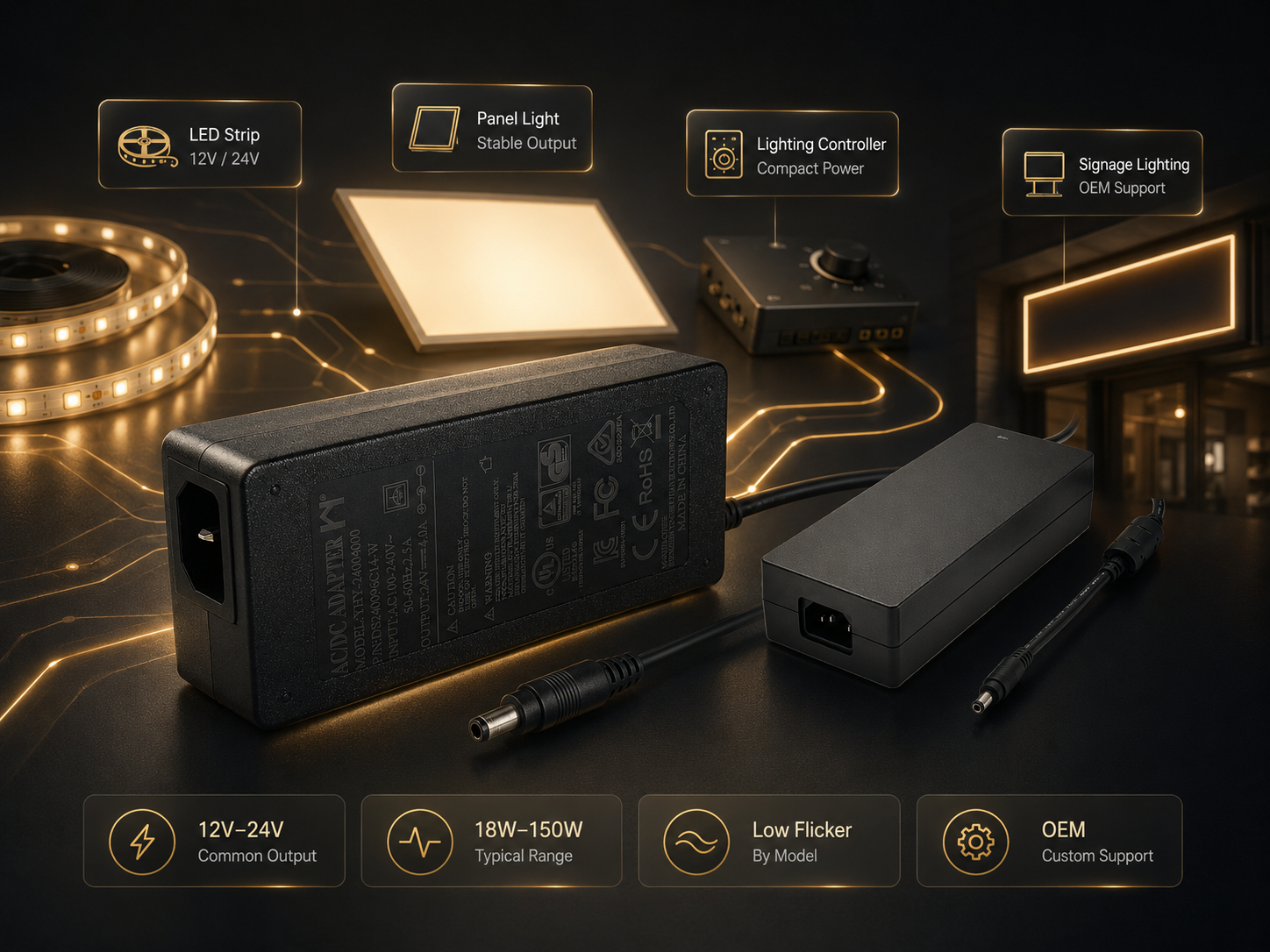
LED lighting systems integrate the power supply inside the luminaire housing. Open frame supplies offer the best cost-per-watt and can be thermally optimized within the fixture’s cooling design. Output current adjustability (via trim pot or PWM input) is commonly available.
Consider open frame if: The luminaire has > 0.5 m² heatsink surface area.
Consider enclosed if: The power supply must sit outside the fixture (remote driver configuration).
Automated Test Equipment
Recommendation: Enclosed Desktop
ATE benchtop equipment benefits from external power supplies that can be swapped without opening the instrument chassis. Locking connectors prevent accidental disconnection during testing.
Consider enclosed if: The equipment is benchtop, rack-mounted, or frequently relocated.
Consider DIN rail if: The ATE system is cabinet-based with multiple supplies and redundant configurations.
Commercial Refrigeration and HVAC
Recommendation: DIN Rail
Refrigeration controllers and HVAC systems use control panels with DIN rail mounting as the industry standard. The wide operating temperature range and condensation resistance are critical for these environments.
Consider DIN rail if: The controller panel is built per IEC 61439 or similar industrial standard.
Consider open frame if: The supply is integrated into a custom controller PCB in a sealed cold-room-rated enclosure.
Section 6: Cost and Total Cost of Ownership Analysis
The purchase price of a power supply is only part of the total cost. The following factors contribute to total cost of ownership (TCO):
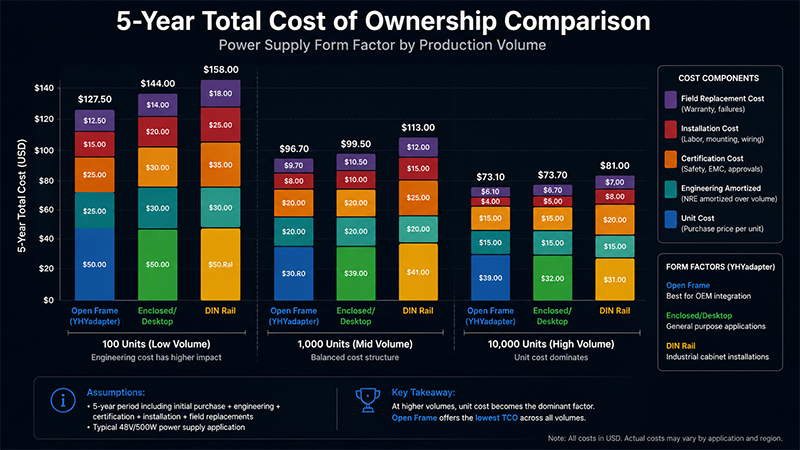
The 5-year TCO ranges show that enclosed adapters often have the lowest total cost for moderate-volume production (100–1,000 units/year) because integration and certification costs are avoided. For high-volume production (10,000+ units/year), open frame supplies become more cost-effective due to lower unit cost and amortized engineering.
Selection Decision Flowchart
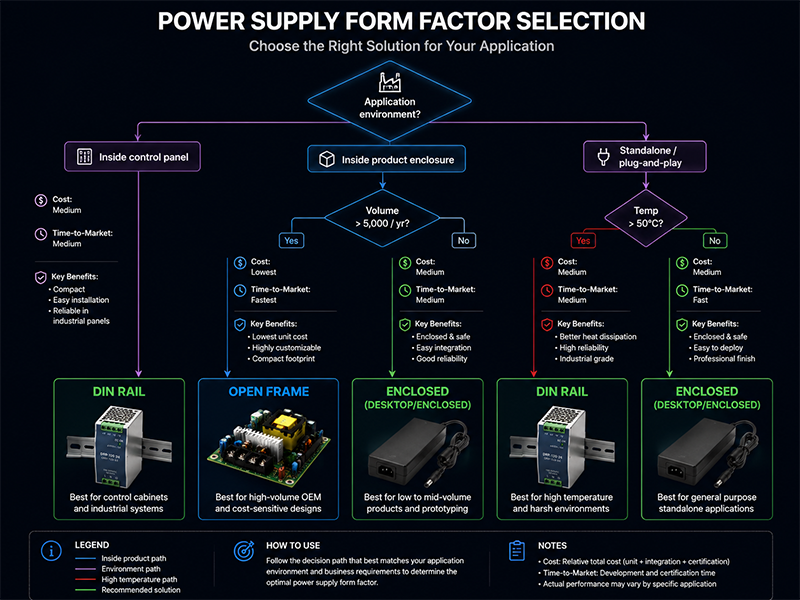
Quick Reference:
| If your application… | Choose |
|---|---|
| Needs plug-and-play, minimal integration effort | Enclosed (Desktop/Wall) |
| Integrates the supply inside your own product enclosure | Open Frame |
| Mounts the supply in an industrial control panel | DIN Rail |
| Has high production volume (10,000+/year) | Open Frame |
| Has moderate volume (100–1,000/year) and wants fastest time-to-market | Enclosed |
| Requires wide temperature range (−20 °C to +60 °C+) | DIN Rail |
| Needs redundant/hot-swappable power | DIN Rail |
| Is a portable device carried by users | Enclosed (Wall Plug) |
| Is a large stationary machine in a factory | DIN Rail or Open Frame |
Frequently Asked Questions
1. Can I use an open frame power supply outside an enclosure?
No. Open frame power supplies have no IP rating and expose mains-voltage AC traces and components. They must be installed inside a product enclosure that provides protection against electric shock, dust ingress, and mechanical contact. Using an open frame supply outside a protective enclosure violates safety certification requirements.
2. Are DIN rail power supplies more reliable than desktop adapters?
In industrial environments, yes — DIN rail supplies are designed for wider temperature ranges (−25 °C to +70 °C vs. 0–40 °C typical for desktop adapters), higher vibration tolerance, and longer service life (50,000–100,000 hours MTBF typical vs. 30,000–50,000 hours for desktop). However, in clean office environments with controlled temperature, the reliability difference is negligible — both will exceed the product’s useful life.
3. How do I calculate the thermal derating for a DIN rail supply in a sealed cabinet?
Use the formula: P_available = P_rated × (T_max − T_ambient) / (T_max − T_ref) where T_max is the supply’s maximum operating temperature, T_ambient is your cabinet internal temperature, and T_ref is the reference temperature where full power applies (typically 40–50 °C). Most datasheets publish the derating curve directly.
4. Can I parallel open frame power supplies for higher current?
Paralleling open frame supplies requires careful design — each supply must have OR-ing diodes to prevent reverse current, matched output voltage trim, and current sharing circuitry. Dedicated DIN rail supplies with built-in parallel capability are significantly easier to configure for redundant operation. Unless you have specific power architecture expertise, avoid paralleling off-the-shelf open frame supplies.
5. Do enclosed desktop adapters require any cooling clearance?
Yes. Desktop adapters rely on free-air natural convection. They require at least 50 mm clearance on all sides for airflow, and should not be stacked, covered, or installed inside enclosed compartments. Operating an adapter in a zero-clearance enclosure will trigger thermal protection or shorten its service life by 30–50%.
6. What is the minimum production volume that justifies open frame development?
As a general guideline: open frame custom development becomes cost-effective above approximately 5,000 units per year for simple modifications (connector changes, wire lengths) and above 10,000 units per year for fully custom PCB layouts and electrical specifications. Below these volumes, the development cost per unit outweighs the per-unit savings from using an off-the-shelf enclosed or DIN rail solution.
Key Takeaways
- Environment dictates form factor. Start with the operating environment (temperature range, contamination, vibration, moisture) before comparing electrical specs. The most capable electrical design is useless if the physical packaging is wrong.
- Open frame is cheapest at scale, most expensive at low volume. Open frame supplies save 10–30% on unit cost but require integration engineering, end-product certification, and adequate enclosure design. The breakeven volume is typically 5,000–10,000 units per year.
- DIN rail supplies are the gold standard for industrial reliability. Wide temperature range, built-in diagnostics, redundant configurations, and standardized mounting make them the first choice for control panels and automation equipment.
- Enclosed adapters minimize time-to-market. With pre-approved certifications and plug-and-play usability, enclosed adapters get products to market fastest. For low-to-moderate volume products, the TCO is often lower than open frame despite the higher unit price.
- Total cost of ownership matters more than unit price. Consider integration engineering, certification costs, field replacement labor, and failure rates. The cheapest unit often hides higher downstream costs.
- Don’t mix form factors in one product line unless necessary. Standardizing on one form factor reduces supply chain complexity, simplifies qualification testing, and improves field service consistency. Use the selection flowchart to pick the one that fits most of your product line.
Conclusion: Choosing the Right Form Factor for Your Application
Selecting between open frame, enclosed, and DIN rail power supplies is a multi-dimensional decision that balances cost, time-to-market, thermal environment, installation method, and field service requirements.
There is no universally “best” form factor — each excels in its intended application context:
- Open frame wins on cost and integration flexibility for high-volume products with dedicated enclosures
- Enclosed desktop/wall-mount wins on convenience, certification simplicity, and time-to-market
- DIN rail wins on reliability, diagnostics, and serviceability in industrial environments
YHYadapter offers all three form factors with customization options tailored to OEM requirements. Whether you need a custom open frame platform for your medical device, a certified medical-grade desktop adapter, or a rugged DIN rail supply for your control panel, our engineering team can support the specification, design, and qualification process.
Need help selecting the right form factor for your project?
Our application engineering team can review your requirements and recommend the optimal power supply configuration.
Related Resources
🔌 Related Products
📖 Related Guides

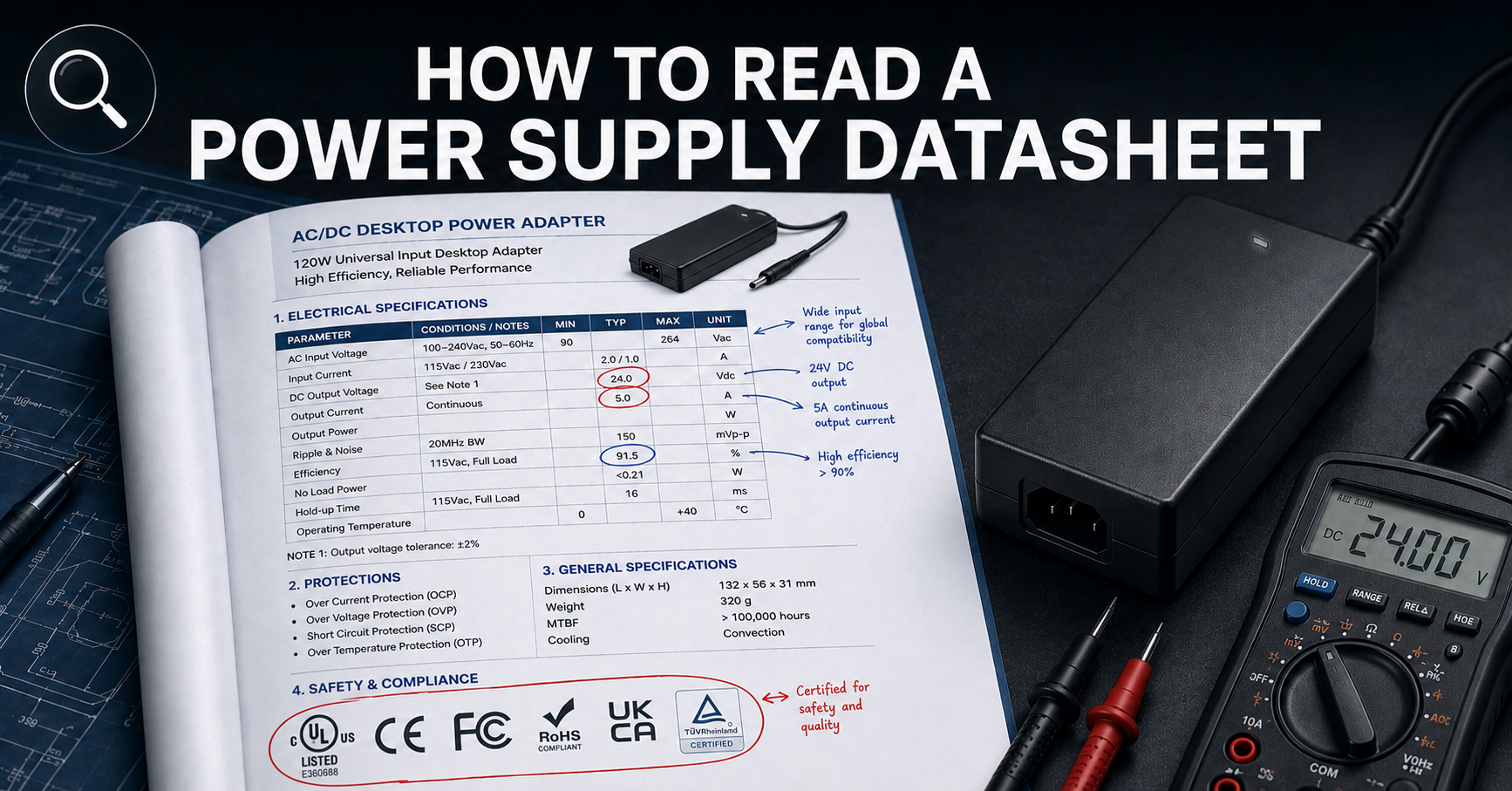
How to Read a Power Supply Datasheet
Learn how to evaluate connector specifications in a datasheet — current ratings, derating curves, certification verification.
🏭 Related Applications
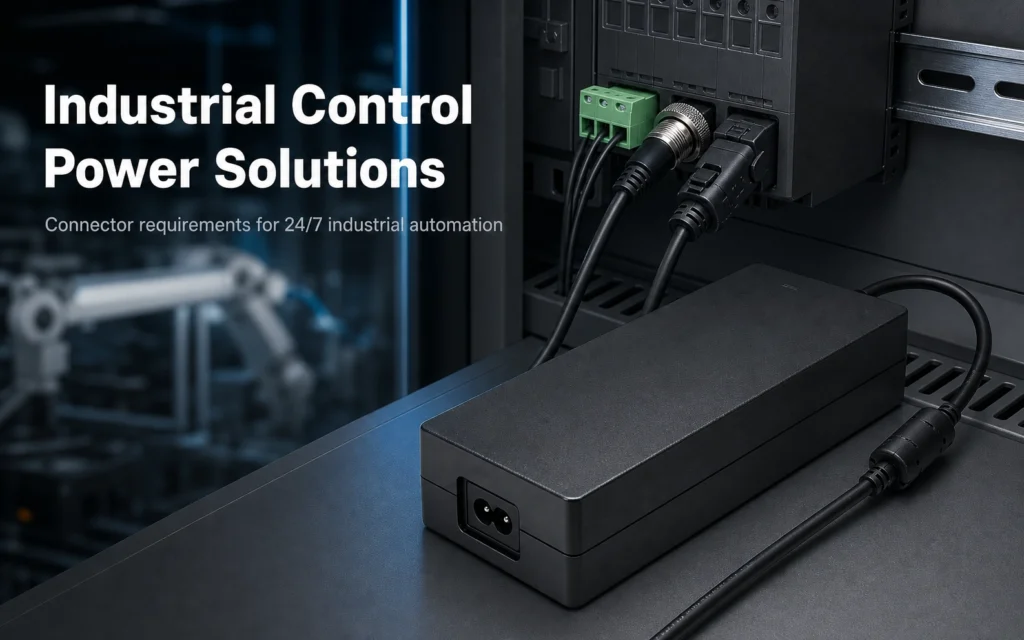
Industrial Control Power Solutions
Desktop power supplies designed for PLC panels, CNC controllers, and industrial automation systems.
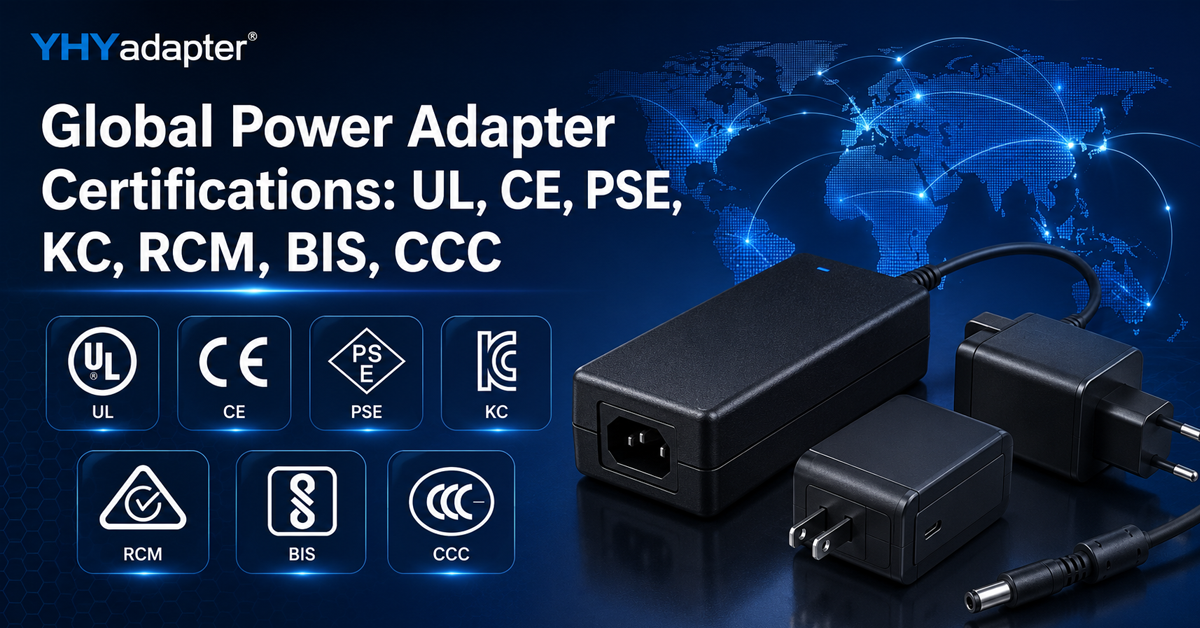
✅ Related Certifications
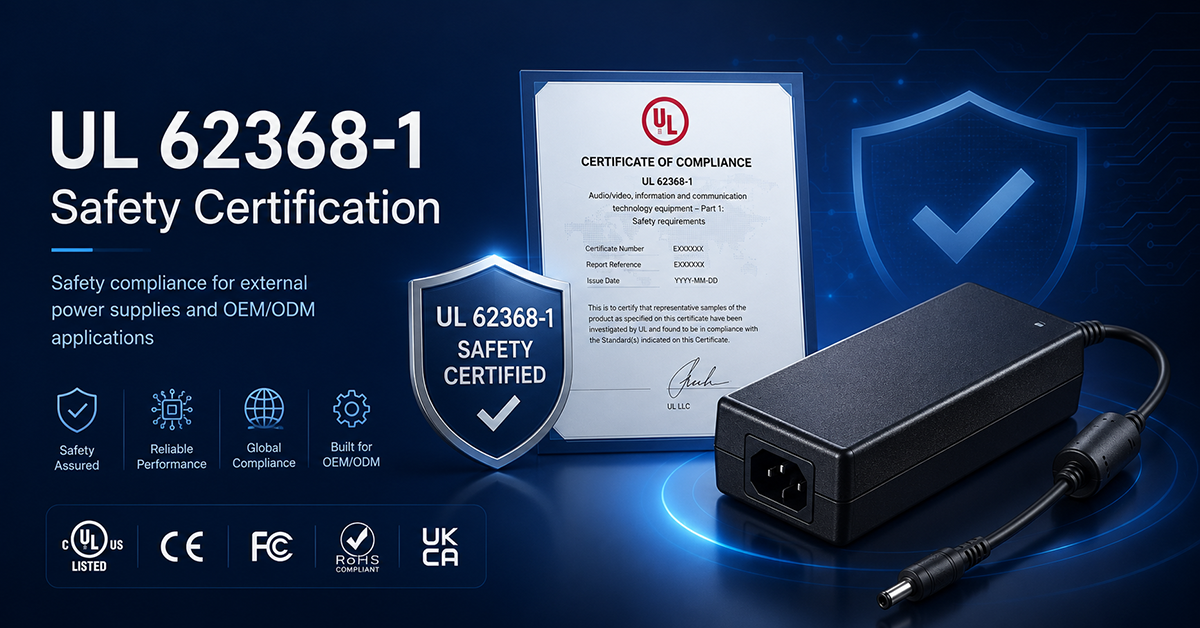
UL 62368-1 Safety Certification
Safety standard covering connector creepage/clearance, temperature rise, and strain relief requirements for IT/AV equipment power adapters.