
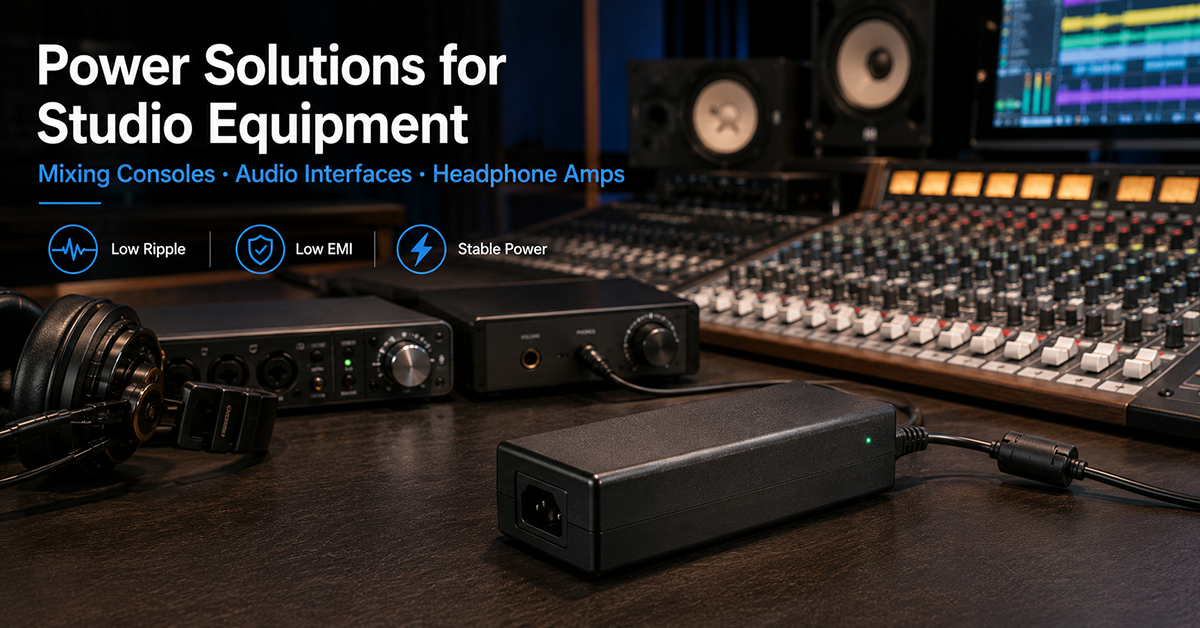
Studio equipment presents unique power supply challenges that distinguish it from other audio applications. A mixing console may require multiple voltage rails simultaneously (+15V, −15V, +5V), an audio interface must isolate sensitive analog stages from digital noise within the same chassis, and a headphone amplifier demands clean power at sufficient current for low-impedance headphones. The external AC/DC power adapter must be selected not just for voltage and current, but for noise characteristics that match the studio equipment’s signal chain sensitivity.
This guide covers power supply considerations for three categories of studio equipment: mixing consoles, audio interfaces, and headphone amplifiers. It addresses voltage rail requirements, noise management, form factor selection, and OEM design considerations for each equipment type.
Mixing Console Power Considerations
Mixing consoles typically require multiple voltage rails to support both analog audio processing and digital control circuitry. The power architecture must deliver clean power to the analog stages while isolating digital noise from the audio path.
Common Voltage Rail Requirements
| Rail | Typical Use | Current Range | Noise Sensitivity |
| +15V to +18V | Analog audio circuitry (op-amps, preamps) | 100mA–2A depending on channel count | High — directly affects audio path |
| −15V to −18V | Analog audio complementary rail | 100mA–2A | High — matches + rail requirement |
| +5V | Digital control, DSP, USB interface | 500mA–3A | Moderate — digital noise can couple into analog |
| +48V | Phantom power for condenser microphones | 10–200mA | Low — well-regulated and separate from audio path |
Single vs Multiple Adapter Architecture
A mixing console can be powered by a single external adapter (providing one voltage, with onboard DC-DC conversion for other rails) or multiple adapters (separate supplies for analog and digital). The trade-offs:
| Approach | Advantages | Considerations |
| Single adapter + onboard regulation | One AC input, simplified cabling | DC-DC converter noise must be managed; onboard regulation adds PCB space and cost |
| Separate analog and digital adapters | Cleaner isolation between analog and digital domains | Two AC inputs, more complex cable management, additional certification requirements |
| Single multi-output adapter | Single enclosure, factory-tested rail matching | Adapter is larger; multi-output configurations depend on platform availability |
Phantom Power Integration
Phantom power (+48V) for condenser microphones is generated onboard the mixing console from the external adapter’s output voltage using a DC-DC converter. The total phantom power draw should be included in the system’s power budget: each microphone channel draws approximately 4–7mA at 48V. A 48-channel console with all channels using phantom power requires 1.7–3.4W for phantom power alone, on top of the console’s analog and digital power requirements.
Why This Matters
▸ Mixing console analog rails typically require low-noise power (10–30mV pk-pk category). The external adapter’s ripple feeds into the onboard regulators, which must provide adequate PSRR at the adapter’s switching frequency.
▸ The external adapter’s output voltage tolerance directly affects the headroom available for onboard regulators. A 15V rail from a ±5% tolerance adapter can range from 14.25V to 15.75V, affecting regulator dropout margin.
▸ Phantom power requirements are frequently underestimated in the system power budget, leading to insufficient adapter current capacity for all-channel phantom operation.
OEM Actions
▸ Create a complete power budget including analog rails, digital processing, phantom power, USB bus power (if applicable), and any auxiliary outputs (headphone amp, monitor output).
▸ Determine whether a single output adapter with onboard rail splitting or a multi-output adapter better serves the console’s power architecture and certification requirements.
▸ Verify adapter output tolerance and load regulation under worst-case conditions (all channels active, phantom power on, USB bus powered).
Audio Interface Power Considerations
Audio interfaces combine analog I/O, digital conversion (ADC/DAC), USB or Thunderbolt connectivity, and often headphone amplification in a single chassis. The proximity of sensitive analog circuitry to high-speed digital signals makes power supply design particularly important.
Key Power Challenges in Audio Interfaces:
| Challenge | Cause | Mitigation |
| Digital noise coupling | High-speed USB/Thunderbolt clocks, DSP, ADC/DAC digital logic | Separate analog and digital power planes; post-regulator for analog rail |
| USB bus power vs external adapter | USB 2.0 provides up to 2.5W (500mA at 5V); insufficient for multichannel interfaces | External adapter is required for interfaces with >2 channels or phantom power |
| Ground reference | USB ground and adapter ground share a path | Star grounding at power entry; evaluate Class II adapter to reduce ground loops |
| Cable-borne noise | DC cable from adapter to interface | Shielded DC cable with appropriate termination; ferrite at interface entry |
Power Budget Example (Typical 8-channel Audio Interface):
| Component | Power Consumption |
| Analog I/O (8 in / 8 out) | 1.5–3W |
| ADC/DAC converters | 0.5–1W |
| DSP / FPGA | 1–3W |
| USB / Thunderbolt interface | 0.5–1W |
| Headphone amplifier | 0.5–2W (load-dependent) |
| Phantom power (8 channels) | 1.5–3W |
| Total typical | 6–13W |
A 12V–24V external adapter rated at 15–24W (1.25A–1A respectively at 12V or 24V) is common for multichannel audio interfaces.
Why This Matters
▸ Audio interfaces operating from USB bus power alone are limited to approximately 2.5W, restricting channel count, phantom power availability, and headphone output power.
▸ The external adapter’s output voltage determines the headroom available for the interface’s onboard regulators. A 12V adapter requires the interface’s regulators to operate with minimal dropout, while a 24V adapter provides more headroom but requires more efficient regulation to avoid excessive heat.
▸ The shared ground path through USB and the external adapter can create ground loop hum when the interface is connected to a computer and other audio equipment. A Class II adapter (2-prong, double-insulated) may reduce this path.
OEM Actions
▸ Evaluate whether the interface will operate from USB bus power (limited), external adapter, or both with automatic switching. If both, specify the switchover behavior to prevent the interface from drawing power from the USB bus when an adapter is connected.
▸ Select an adapter voltage that provides adequate regulator headroom without excessive dissipation. Higher voltage reduces current but increases regulator power loss.
▸ Design the interface to accept a range of adapter voltages (e.g., 12–24V) to accommodate different adapter availability in the field, or specify a single recommended adapter model.
Headphone Amplifier Power Considerations
Headphone amplifiers require clean power with sufficient current capability to drive low-impedance headphones. The power supply directly affects the amplifier’s output power, distortion, and noise floor.
Power Requirements by Headphone Type:
| Headphone Type | Impedance | Sensitivity | Typical Power Required |
| Low-impedance (32Ω) | 32Ω | 96–110dB/mW | 100–500mW per channel for adequate headroom |
| Mid-impedance (80–150Ω) | 80–150Ω | 95–100dB/mW | 200mW–1W per channel |
| High-impedance (250–600Ω) | 250–600Ω | 90–100dB/mW | 100–500mW per channel (requires higher voltage swing) |
A headphone amplifier rated for 1W per channel into 32Ω requires a power supply capable of delivering approximately 5.66V RMS output. With regulator headroom and efficiency losses, the adapter should provide at least 12V at 500mA–1A for a single-channel desktop amplifier.
Noise Considerations
Headphone amplifiers are particularly sensitive to power supply noise because the amplified signal goes directly to the listener’s ears without the masking effect of room acoustics or speaker-air coupling. A headphone amplifier with a −100dB noise floor relative to full output will be audibly quiet, while one with −70dB may have a noticeable hiss.
The external adapter’s ripple at the switching frequency must be adequately filtered by the amplifier’s onboard regulation. For critical applications, a post-regulator LDO between the adapter input and the amplifier stage is recommended.
Why This Matters
▸ A headphone amplifier powered from a general-purpose 12V adapter with 100mV pk-pk ripple may produce audible noise when driving low-impedance, high-sensitivity headphones, even if the amplifier’s PSRR is 40dB.
▸ The external adapter’s output voltage determines the maximum output power available from the headphone amplifier. Higher voltage adapters enable higher output swing for high-impedance headphones.
▸ USB-powered headphone amplifiers are limited to approximately 1W total output power (500mW per channel into 32Ω), which is sufficient for many headphones but marginal for high-impedance or low-sensitivity models.
OEM Actions
▸ Determine the target headphone types and calculate the required power supply voltage and current based on the desired output power and headphone impedance.
▸ Specify a low-noise adapter (10–30mV pk-pk category) for headphone amplifier applications, and evaluate the amplifier’s PSRR at the adapter’s switching frequency.
▸ If the amplifier is designed for desktop use with an external adapter, consider a 15–24V adapter to provide adequate voltage swing for a wide range of headphone impedances.
Frequently Asked Questions
Can a mixing console run on a single 15V adapter for both analog and digital stages?
Yes, with onboard regulation. The 15V adapter feeds a DC-DC converter or charge pump to generate the negative rail and a regulator for the +5V digital rail. The key design requirement is adequate filtering between the digital regulator output and the analog supply to prevent digital noise from coupling into the analog audio path.
How much current does phantom power actually draw in a mixing console?
Each microphone channel typically draws 4–7mA at 48V phantom power, or approximately 0.2–0.34W per channel. A 48-channel console with phantom power enabled on all channels adds approximately 10–16W to the total system power requirement. This should be included in the adapter selection power budget.
What adapter voltage is typical for a desktop headphone amplifier?
Desktop headphone amplifiers commonly use 12V to 24V external adapters. A 15V or 18V adapter is a common choice, providing adequate voltage swing for most headphone types while keeping regulator power dissipation manageable. Higher output power amplifiers (1W+ per channel) may use 24V adapters.
Why do mixing consoles and headphone amplifiers have different supply requirements?
They present different loads and different sensitivities: a console combines many channels and often phantom power, while a headphone stage draws modest current but amplifies small signals. The specification follows the circuit rather than the product category.
Should a studio rack share one supply or use separate supplies per unit?
It depends on the grounding and return arrangement and on how the units interconnect. Separate supplies can reduce shared impedance between stages, while a shared supply simplifies the installation — the choice belongs with the grounding design.
CONCLUSION
Studio equipment power requirements vary significantly by equipment type. Mixing consoles require multiple voltage rails with clean power for analog stages. Audio interfaces must manage the proximity of digital and analog circuitry with careful power partitioning and grounding. Headphone amplifiers need sufficient voltage swing and clean power for low-distortion, low-noise output. In each case, the external adapter selection must account for the equipment’s specific voltage, current, noise, and form factor requirements.
Related Resources
- Power Supply Selection Guide for Professional Audio Equipment OEMs
- Power Supply Noise Specifications for Audio Equipment
- Product page: Desktop Adapter Series