
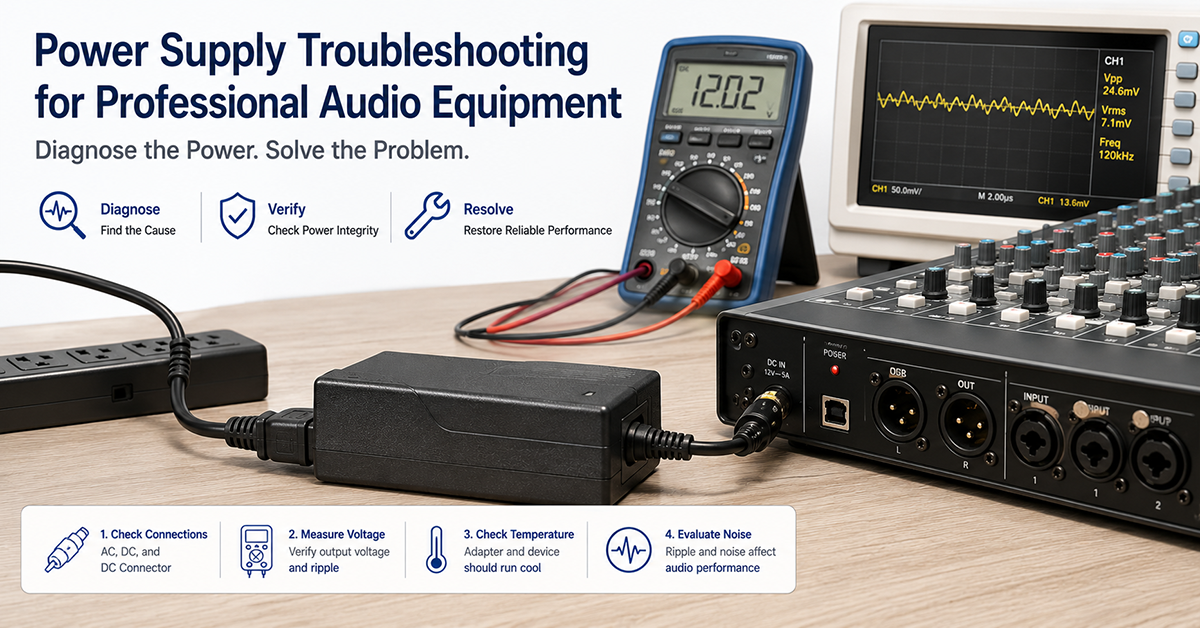
Power-supply-related issues are among the most common field problems in professional audio equipment. A mixing console that buzzes when connected to a PA system, a powered speaker that cuts out on bass peaks, an audio interface that produces a constant hiss—these symptoms are often traced to the power supply, the grounding architecture, or the interaction between the adapter and the audio circuitry.
This guide provides a systematic troubleshooting methodology for power-supply-related issues in professional audio equipment. It covers common symptoms, diagnostic procedures, root cause analysis, and practical solutions for both field and lab environments.
Symptom-Based Troubleshooting Guide
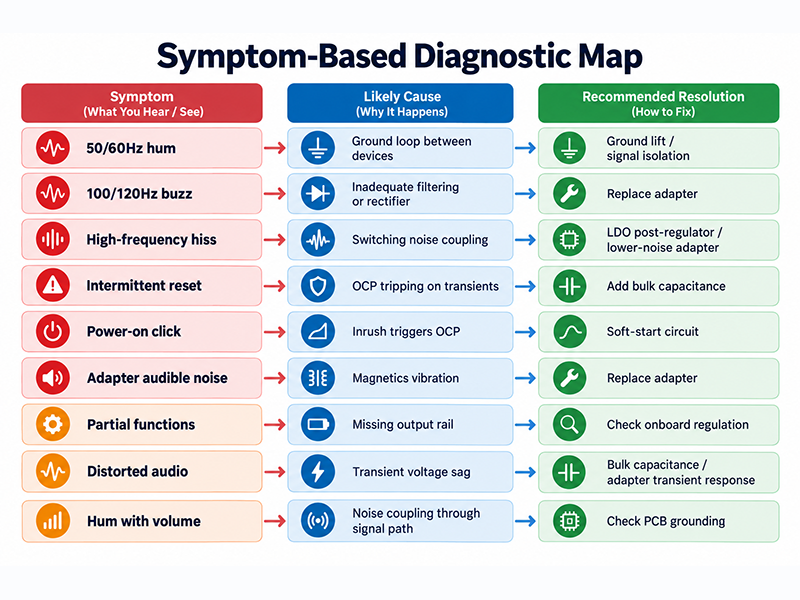
The following table maps common audio equipment symptoms to likely power-supply-related causes and diagnostic steps.
| Symptom | Likely Cause | Quick Diagnostic | Typical Resolution |
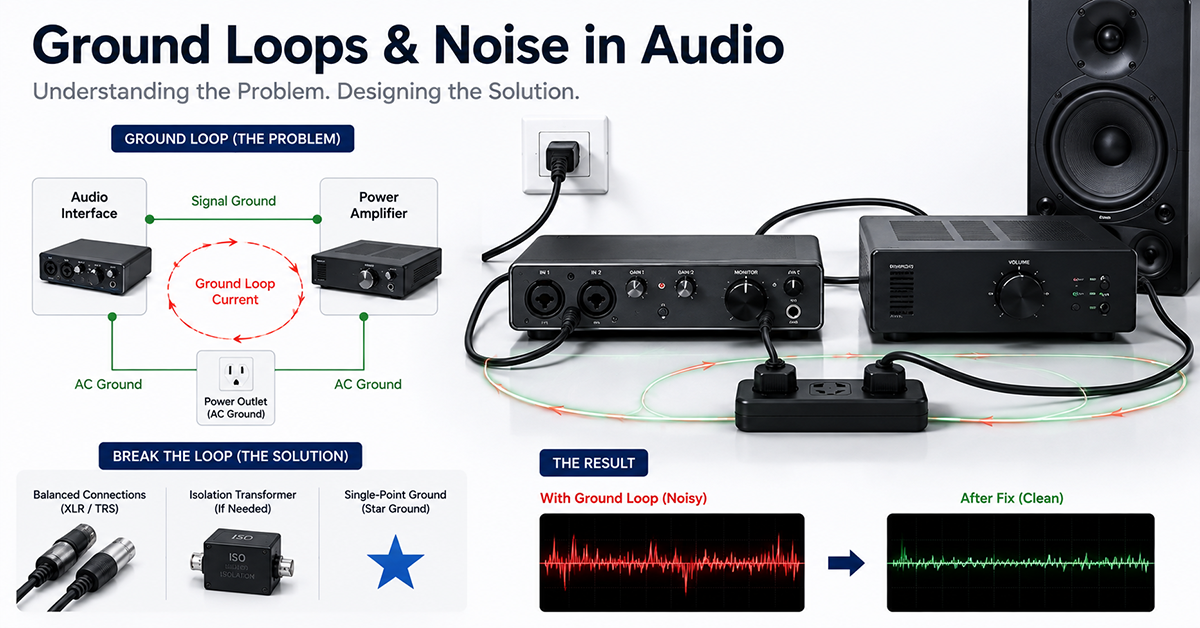
| 50/60Hz hum (low-frequency) | Ground loop between interconnected devices | Disconnect audio input cables; if hum stops, the source is external ground loop | Ground lift switch, signal isolation, balanced I/O |
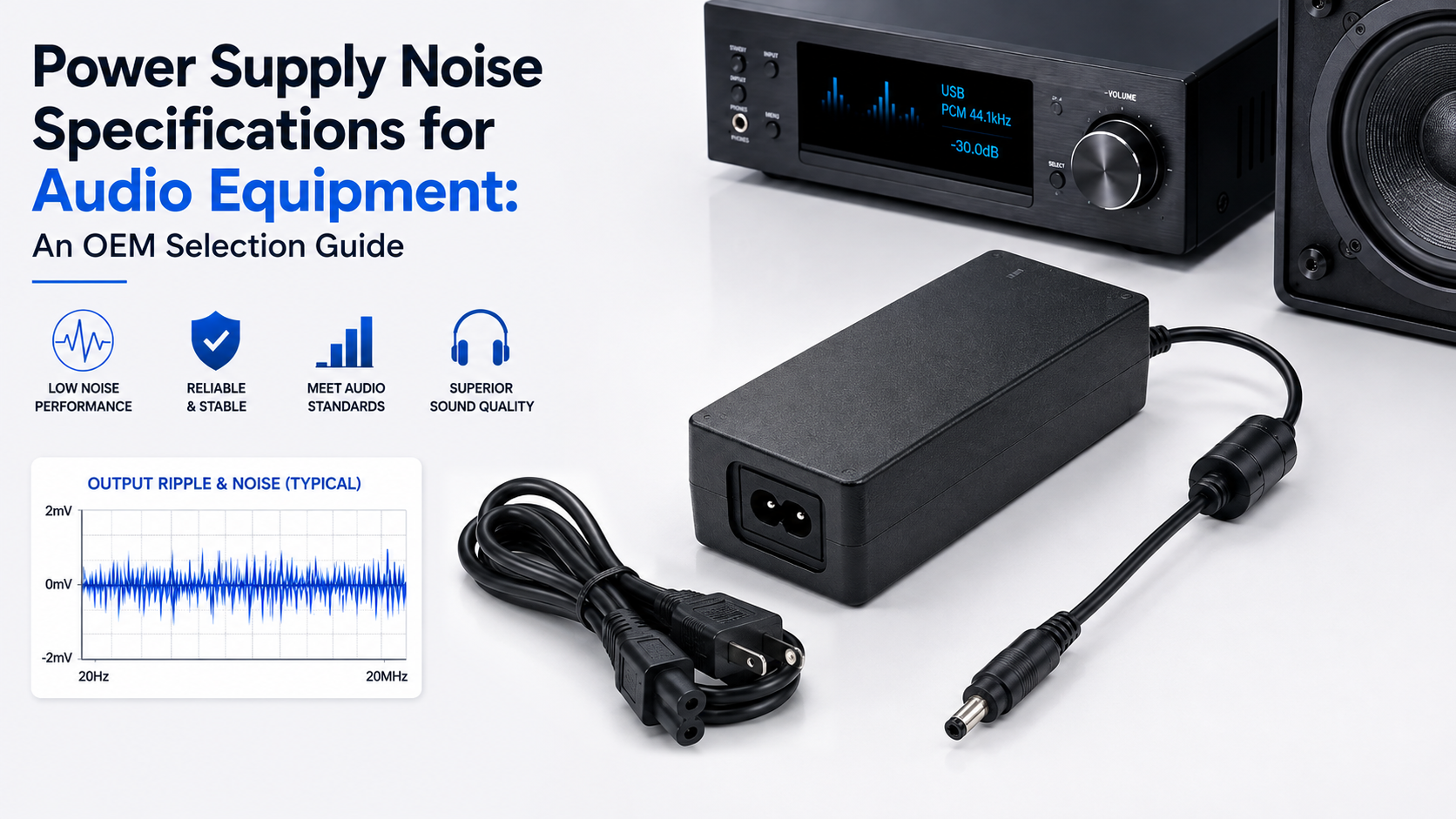
| 100/120Hz buzz (double mains frequency) | Inadequate power supply filtering or rectifier issue | Measure adapter output ripple with oscilloscope; look for 100/120Hz component | Replace adapter; check adapter’s output filtering |
| High-frequency hiss or whine | Switching noise from adapter coupling into audio path | Vary adapter load; if hiss changes with load, switching noise is the source | Add LDO post-regulator; use lower-noise adapter |
| Intermittent power loss or reset | Adapter OCP tripping on amplifier transients | Observe adapter output during audio transient using oscilloscope; look for voltage sag or drop | Add bulk capacitance; select adapter with higher peak current |
| Power-on failure (adapter clicks) | Adapter OCP triggered by excessive inrush capacitance | Measure inrush current at power-on; compare to adapter’s OCP characteristic | Soft-start circuit; reduce input capacitance; evaluate adapter OCP |
| Audible noise from adapter itself | Adapter internal magnetics vibration or loose component | Listen to adapter under load; noise should not be audible at normal operating distance | Replace adapter; amplifier load may be exciting transformer resonance |
| Unit powers some functions but not others | Partial adapter output or multiple output rail issue | Measure all adapter output voltages under load; check for missing rail | Replace adapter; check onboard regulation |
| Output voltage reads correctly but audio is distorted | Adapter cannot maintain voltage under transient load | Measure adapter output while driving audio signal at high level; look for voltage sag | Add bulk capacitance; verify adapter transient response |
| Hum varies with volume control position | Power supply noise coupling through grounded circuit | Ground lift does not affect hum; hum follows signal path | Check PCB grounding; verify signal path routing around power supply |
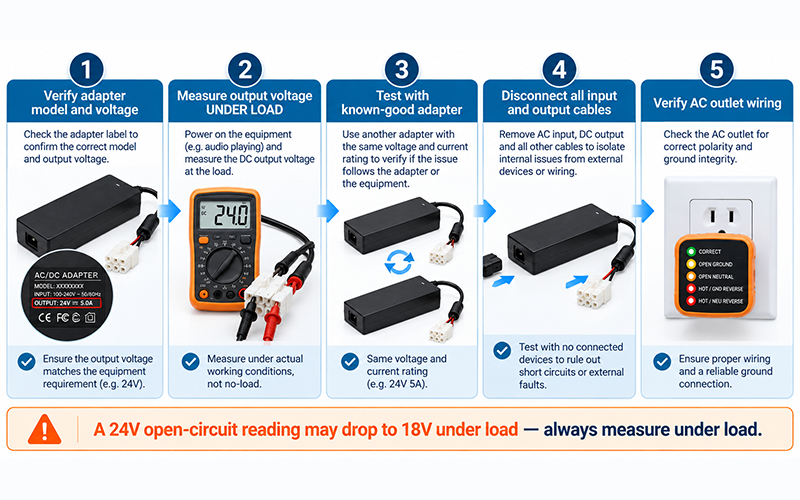
First steps for any power-related audio issue:
- Verify the adapter is the correct model and voltage for the equipment
- Measure the adapter output voltage under load (equipment powered on, audio playing)
- Test with a known-good adapter of the same voltage and current rating
- Disconnect all input and output cables to isolate internal from external issues
- Verify the AC outlet wiring (polarity, ground integrity)
Why This Matters
▸ Many audio field problems attributed to “bad power supply” are actually ground loop or system integration issues. Systematic diagnosis prevents unnecessary adapter replacement.
▸ A simple voltage measurement under load reveals more than a measurement at no load. An adapter that measures 24V open circuit may drop to 18V under load.
▸ Intermittent problems (cutouts, resets) are difficult to diagnose without observation during the fault condition. An oscilloscope or data-logging multimeter is often required.
What OEMs Should Do Now
▸ Include a power supply test point (accessible test pad or LED indicator) in the product design to simplify field diagnosis.
▸ Document the expected adapter output voltage and current for each product model in the service manual.
▸ Provide troubleshooting guidance in the product manual for common power-related symptoms.
Field Diagnostic Procedures
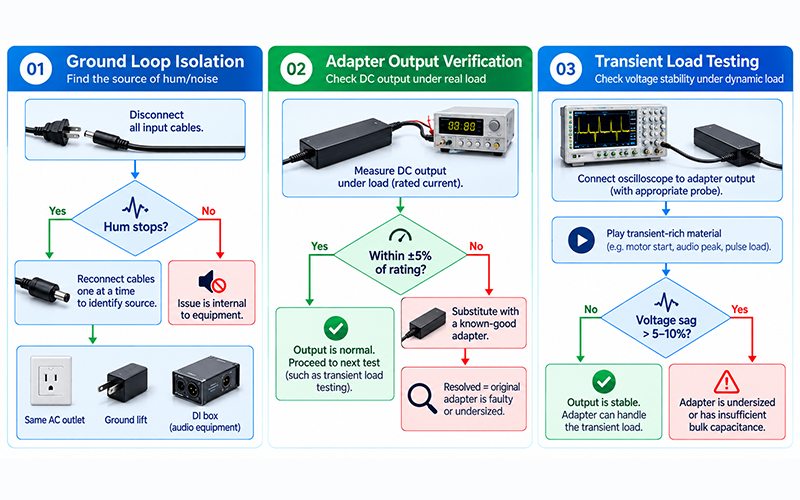
Field diagnosis of audio power issues can be performed with common test equipment: a digital multimeter (DMM), a known-good reference adapter, and (for intermittent issues) an oscilloscope or data logger.
Procedure 1 — Ground Loop Isolation
When hum is present through the speakers:
- Disconnect all input cables from the affected equipment
- If hum stops, reconnect cables one at a time to identify the source
- If hum is from an interconnected device, try:
– Connecting both devices to the same AC outlet (reduces ground potential difference)
– Using a ground lift switch (if available on the equipment)
– Using a direct injection (DI) box with ground lift on the audio connection
- If hum remains with all cables disconnected, the issue is internal to the equipment
Procedure 2 — Adapter Output Verification
To verify the adapter is delivering adequate power:
- Measure the adapter’s DC output voltage at the equipment’s power input with the equipment powered on and operating at moderate level
- Compare to the adapter’s rated output voltage (±5% is typical; ±10% may indicate a problem)
- If voltage is low, substitute with a known-good adapter of the same voltage and equal or higher current rating
- If the problem is resolved with the substitute adapter, the original adapter is likely faulty or undersized
Procedure 3 — Transient Load Testing
For intermittent cutouts or distortion on peaks:
- Connect oscilloscope to the adapter output at the equipment’s power input
- Play audio program material with high transient content (drums, bass-heavy music)
- Observe the DC voltage during transient peaks — a drop of more than 5–10% may indicate insufficient adapter capacity or inadequate bulk capacitance
- If the voltage drops below the amplifier’s minimum operating voltage, the adapter is undersized or the equipment’s input capacitance is insufficient
Why This Matters
▸ Ground loop hum is often misdiagnosed as a power supply failure. The first diagnostic step should always be to isolate the hum source by disconnecting audio cables.
▸ An adapter that passes the open-circuit voltage test but fails under dynamic load is a common root cause of intermittent audio problems that are difficult to reproduce in a static test.
▸ Temperature affects adapter performance. A marginal adapter may work correctly in a 25°C environment but fail under load at 40°C or higher.
What OEMs Should Do Now
▸ Design the product to be testable with common field equipment. Accessible test points for power rails simplify field diagnosis.
▸ Specify minimum adapter performance under load in the product documentation so field service personnel can evaluate adapter adequacy.
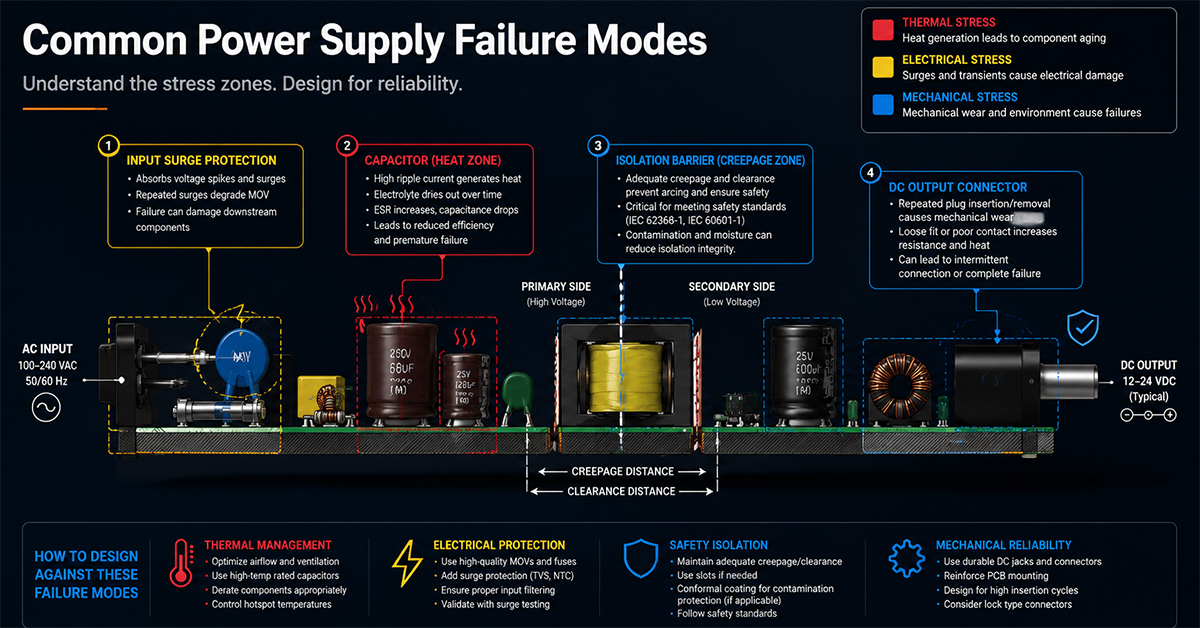
Adapter Failure Modes in Audio Applications
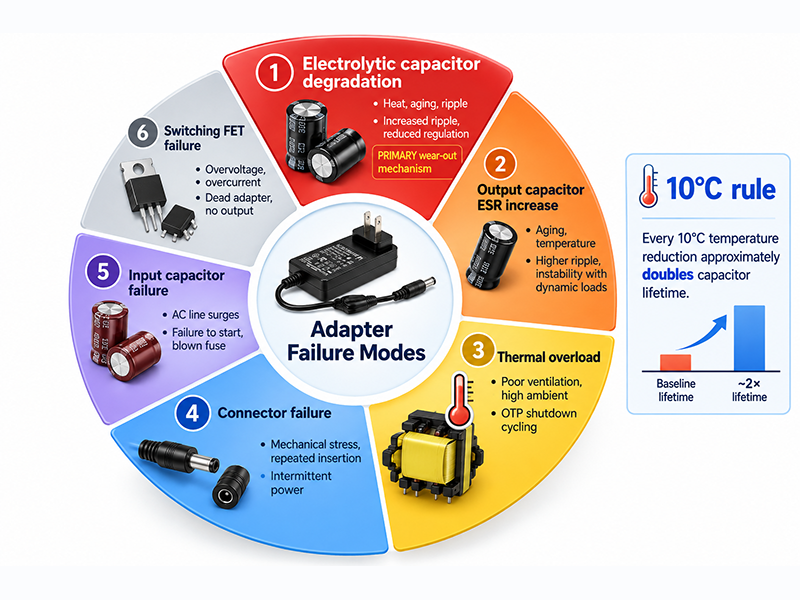
Understanding common adapter failure modes helps OEMs design for reliability and diagnose field failures accurately.
| Failure Mode | Typical Cause | Symptoms | Expected Lifetime Impact |
| Electrolytic capacitor degradation | Heat, aging, ripple current | Increased output ripple, reduced load regulation, eventual failure | Primary wear-out mechanism; lifetime depends on operating temperature |
| Output capacitor ESR increase | Capacitor aging, elevated temperature | Higher output ripple, possible instability with dynamic loads | Gradual degradation over product life |
| Thermal overload | Inadequate ventilation, high ambient temperature, or undersized adapter | Adapter shuts down (OTP) and restarts when cool; may cycle on and off | Repeated thermal cycling accelerates component aging |
| Connector failure | Mechanical stress, repeated insertion | Intermittent power, DC jack damage | Depends on connector quality and usage |
| Input capacitor failure | AC line surges, capacitor aging | Adapter fails to start, blown fuse (if present), visible damage | Can occur suddenly with AC line disturbance |
| Switching FET failure | Overvoltage, overcurrent, thermal stress | Adapter completely dead, no output | Catastrophic failure, usually preceded by other stress |
Lifetime considerations:
Adapter lifetime is primarily determined by electrolytic capacitor lifetime and is influenced by operating temperature. MTBF data may be available depending on model and calculation methodology. MTBF is a statistical projection, not a guarantee of service life. The operating-temperature range and capacitor quality are model-specific and should be verified from the applicable datasheet.
Why This Matters
▸ Electrolytic capacitor degradation is the primary wear-out mechanism in power adapters. Higher operating temperature accelerates this degradation. The 10°C lifetime-doubling rule is a common engineering approximation for aluminum electrolytic capacitors, subject to the manufacturer’s lifetime model, ripple current, voltage stress, and actual core temperature.
▸ Adapter failure in audio equipment is often gradual—increased ripple over months or years—rather than sudden. The audio equipment may progressively develop more noise or reduced performance before complete failure.
▸ Adapters used in 24/7 operation (installed sound, commercial audio) experience accelerated capacitor aging compared to adapters used intermittently.
What OEMs Should Do Now
▸ Consider adapter lifetime in the product’s maintenance schedule. For 24/7 commercial audio installations, plan for adapter replacement at intervals appropriate to the operating environment.
▸ Monitor adapter output voltage in critical installations. A gradual voltage decrease or increased ripple indicates capacitor aging.
▸ Specify the expected operating temperature range for your equipment and select adapters with appropriate temperature ratings for the installation environment.
Preventive Design Measures
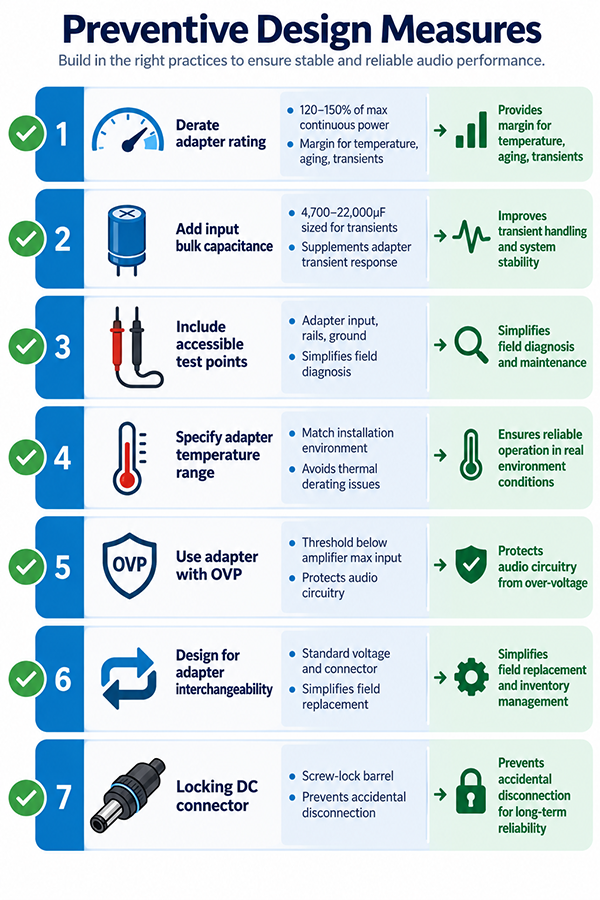
The following design practices reduce the likelihood of power-related issues in audio equipment:
| Practice | Benefit | Implementation |
| Derate adapter rating | Provides margin for temperature, aging, transients | Select an adapter rated for 120–150% of the calculated maximum continuous power |
| Add input bulk capacitance | Supplements adapter transient response | 4700–22,000µF depending on amplifier power; size for transient requirements |
| Include accessible test points | Simplifies field diagnosis | Test points for adapter input voltage, regulated rails, and ground |
| Specify adapter temperature range | Avoids thermal derating issues | Match adapter temperature rating to equipment’s installation environment |
| Use adapter with OVP | Protects audio circuitry from overvoltage faults | Confirm OVP threshold is below amplifier maximum input voltage |
| Design for adapter interchangeability | Simplifies field replacement | Use standard voltage and connector; specify minimum current rating |
| Locking DC connector | Prevents accidental disconnection | Screw-lock barrel, mini-XLR, or similar connector for portable equipment |
Why This Matters
▸ Derating the adapter by 20–30% is a low-cost reliability improvement. An adapter running at 70% of its rated load runs cooler and experiences less capacitor stress than one running at 95%.
▸ Bulk capacitance at the equipment input provides peak transient current that the adapter alone may not be able to deliver, reducing the risk of transient-related distortion or cutouts.
▸ A locking DC connector is a simple mechanical solution that prevents one of the most common field issues: intermittent power from a partially disconnected adapter.
What OEMs Should Do Now
▸ Select adapter ratings with derating for the expected operating conditions. A 100W equipment power budget should use at least a 120W adapter rating.
▸ Include bulk input capacitance sized for the expected transient demands of the amplifier stage.
▸ Specify the adapter connector type and locking mechanism in the product design to match the installation environment (fixed vs portable).
Frequently Asked Questions
How can I tell if a hum is from a ground loop or from the power supply?
If the hum stops when audio input cables are disconnected, it is likely a ground loop. If the hum persists with all cables disconnected, it may be from the power supply adapter (ripple or switching noise coupling into the audio path). A 50/60Hz fundamental with harmonics can be ground loop; a 100/120Hz buzz is more likely power supply related. Measuring the adapter output ripple with an oscilloscope confirms whether the power supply is the source.
My powered speaker cuts out on loud bass notes. What’s the most likely cause?
The most likely cause is the adapter’s overcurrent protection tripping on transient peak current from the amplifier, or the adapter output voltage sagging below the amplifier’s minimum operating voltage. Both are related to the adapter’s transient capability and the speaker’s bulk storage capacitance. Measure the adapter output voltage during a bass transient with an oscilloscope. If the voltage drops sharply, the solution may be adding bulk capacitance or selecting an adapter with higher peak current capability.
How often should an external power adapter be replaced in a permanently installed audio system?
There is no fixed replacement interval. Adapter lifetime depends on operating temperature, load, and capacitor quality. In a typical 24/7 installed environment at 25–35°C ambient, an adapter with quality 105°C-rated capacitors may operate reliably for 5–10 years. However, monitoring the adapter output voltage and ripple during routine maintenance can help identify degradation before failure.
Can a different power adapter solve hum or hiss?
Sometimes, but it depends on the cause. If the disturbance follows the supply, a supply with different ripple or grounding behaviour can help; if it is a ground loop between equipment, changing the supply may not address it. Diagnosing the source first avoids replacing parts that were not the cause.
When should an adapter be replaced rather than repaired?
External adapters are generally sealed assemblies, so repair is uncommon. Replacement is the usual path, and the decision follows the diagnosis — a degraded output or a rising ripple is a reason to replace, while a fault elsewhere in the chain is not.
Related Resources
🔌 Related Products
🏭 Related Applications
📖 Related Guides
✅ Related Certifications
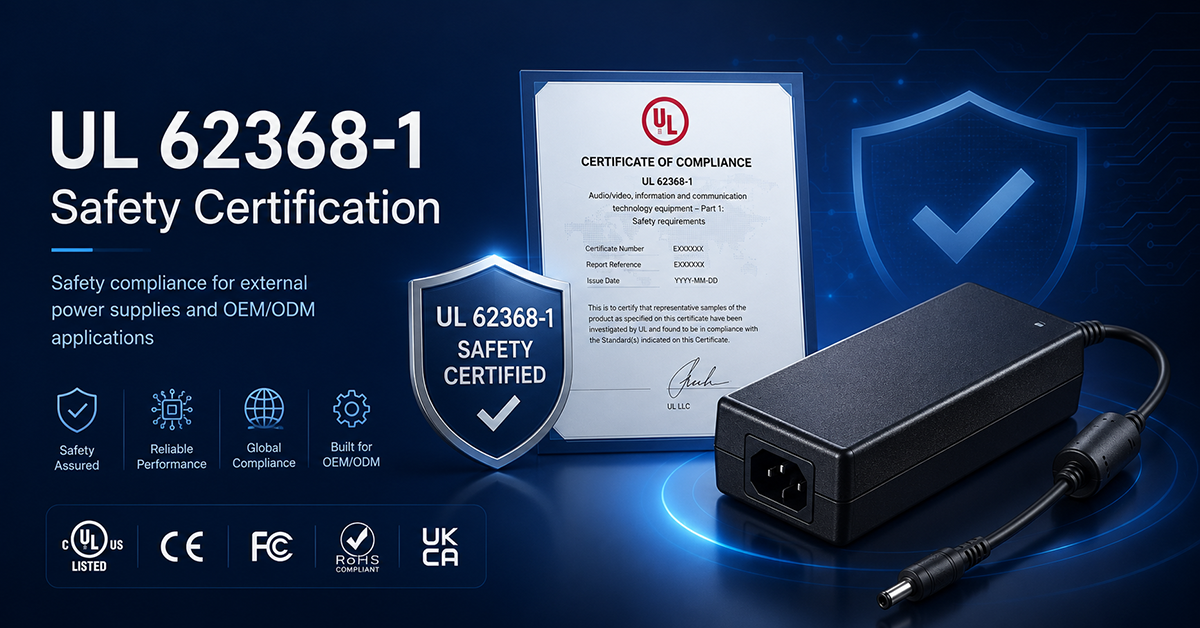
UL 62368-1 Safety Certification
Safety standard covering connector creepage/clearance, temperature rise, and strain relief requirements for IT/AV equipment power adapters.
Conclusion
Power-supply-related issues in professional audio equipment span a range of symptoms from audible hum and hiss to intermittent power loss and complete failure. Effective troubleshooting requires systematic diagnosis that distinguishes ground loop issues, adapter performance problems, and internal equipment faults. Preventive design practices—adapter derating, bulk capacitance, accessible test points, and appropriate connector selection—reduce field issues and simplify service. Understanding common adapter failure modes helps OEMs design for reliability and plan appropriate maintenance intervals.